Category Archives: Rant

Dirty Bulk Epic Fail

As I posted a few months ago, I am into weight training now. In this post, I wanted to document my experiences with different diets to support my goals.

Nutrition tracked using Cal AI.
Workout tracked using Hevy.

I had tried weight training before, without any focus on diet. Consequently, I never did see much gains, probably because of not meeting calorific and protein requirements. So this time, I decided to track my diet closely and do it right. Soon, I realised that lifting is the easiest part when trying to gain muscle mass.

Phase 1: Dirty Bulk (Months 1-4)

I used some online Calorie Calculators to estimate my calorie intake for lean muscle gain and most of them gave me around 3250 Kcal a day. However, the mistake I made was, I used AI calorie tracking apps like Cal AI to track my meals. Although such apps are excellent for identifying the food I am eating, they are extremely poor in estimating portion size.

Calories : 3150-3350 Kcal
Protein : 135g
Starting Composition: 68.5kg (14.6% body fat)
Ending Composition: 76.8kg (20.4% body fat)
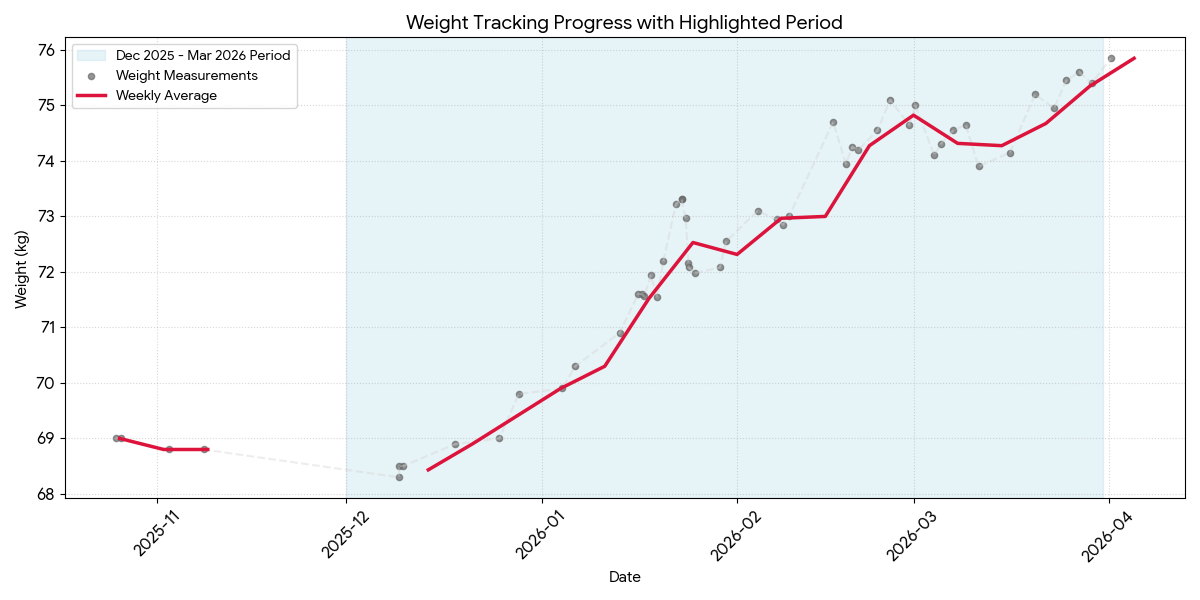
No wonder, my weight quickly shot up. I gained almost 5kg in 5 weeks. Even when I realised I was probably eating way too much, it took me very long to slowly cut out all the extra food and by the 4 month mark, was almost 9kg heavier. I guess out of that, 2kg was water & glycogen retention, 2-3kg was lean muscle mass, and the remaining 5-6kg was body fat.
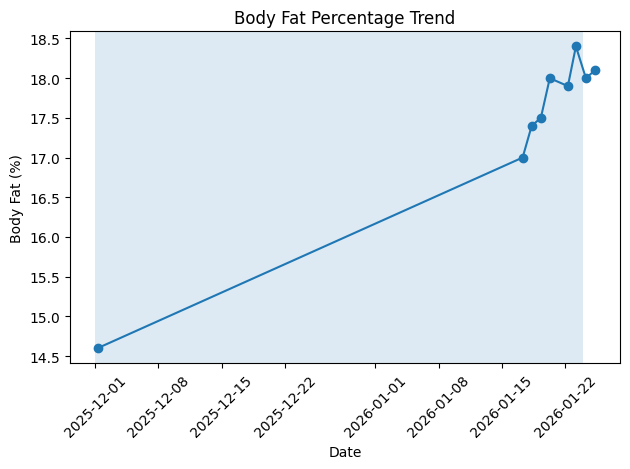
The first few weeks were hell, it seemed like I was eating all the time, force feeding myself. I lost all interest in food and eating became a chore. Still, I (erroneously) chose to believe in an app rather on what my body was trying to tell me.

My T-shirts started feeling tighter around the waist especially when sitting. Eventually, I realised I had been eating much more than I needed to and aborted this diet. I was extremely depressed and disappointed by what happened.

Luckily, at least my exercise volume went up steadily during this time.
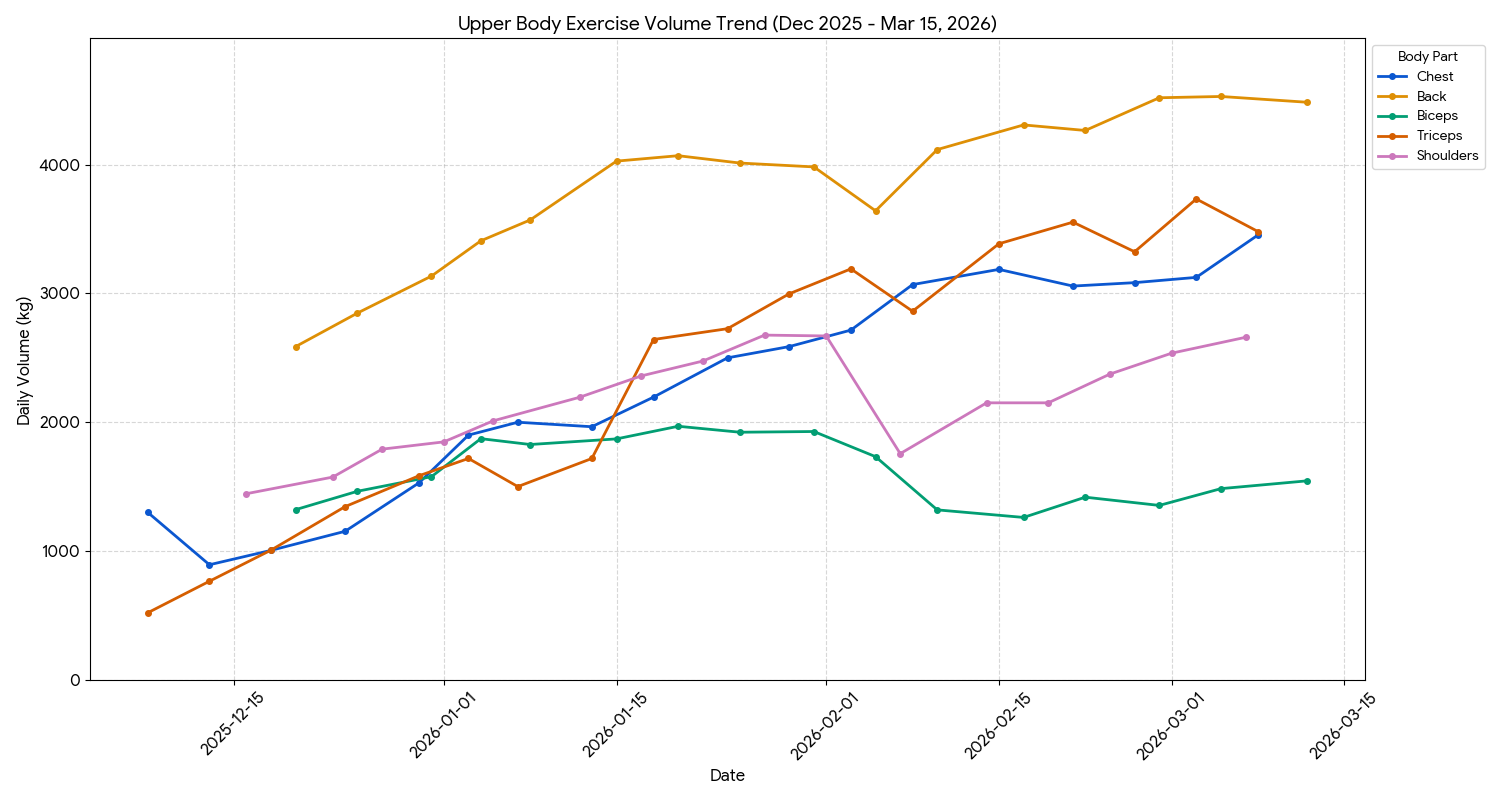
Phase 2: Cut (Month 5)

I had 2 ways forward after realising my error:

  1. Correct my diet and start a lean bulk going forward (Keeping existing fat)
  2. Do a cut and lose some of the excess fat I gained (Losing some muscle mass in the process, too)

I chose Option 2, just because I felt so disgusted with my new paunch. I got rid of the shitty AI apps and started eating by feel, tracking only protein intake roughly in my head.

Calories : 2150-2350Kcal
Protein : 145g
Starting Composition: 76.8kg (20.4% body fat)
Ending Composition: 73.3kg (16% body fat)
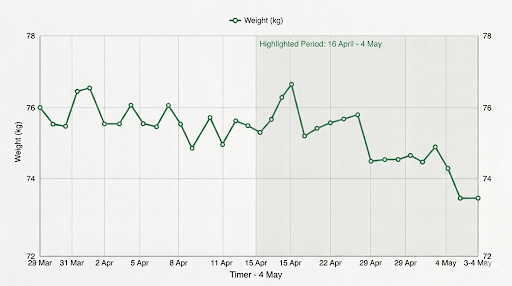
It was such a relief to go back to eating normally and skipping breakfast again (what a chore it was). It took me 2 full weeks before I started seeing weight loss.

In the gym, I didn’t feel anything different for the first few weeks, in fact without the heavy breakfast, I felt much more energetic. However, my lifting volume stalled and even started going down a bit in the last week.

I also suffered a lower back injury on the leg press at this time, which made me re-think many of my exercises and completely stalled leg progress.
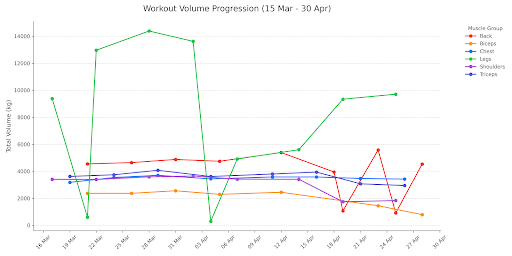
The last couple of weeks, I was hungry all the time, sometimes not able to sleep at night. I also started dreaming about food.

Phase 3: Lean bulk (Month 6 onwards)

Having realised what a mistake I had made, I decided to be more mindful of what I eat going forward, depending purely on eating by feel. Eating enough to not be hungry, but never force feeding. Hope my strength rises again, at the gym.

Let’s see how it works in a few months!

BHIM App sucks balls

I detailed my struggles with UPI AutoPay mandates in this previous posts. The only way I could get UPI to work again was to move from Google Pay to BHIM, NPCI’s flagship app for UPI. Now, BHIM, being a government built app is supposed to be bad, but I found it quite nice. Soon, I waste find out why BHIM sucks balls.

Custom UPI ID doesn’t work

I was surprised to see that BHIM allows you to create custom UPI IDs.

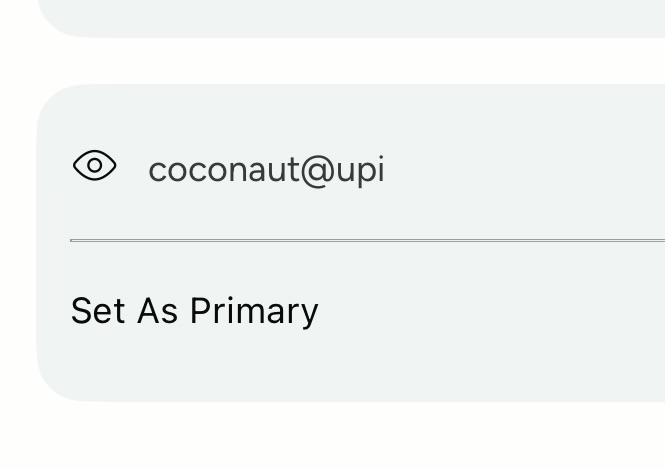
Custom UPI ID on BHIM

Unfortunately, it doesn’t work. Payment requests to this UPI ID do arrive at the BHIM app, but promptly fail.

If anyone tries to send me money on this ID, it simply says the ID doesn’t exist.

Cannot Pay Bills

One of the main reasons I use UPI is to pay bills. Bu for some reason, only for me, bill payments don’t work.

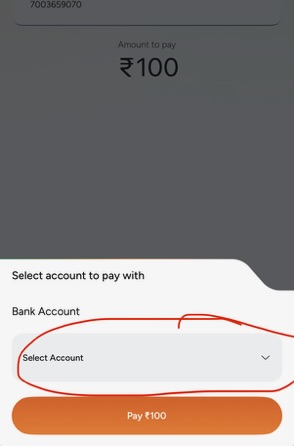
When I try to pay bills, the account selection dropdown is empty and doesn’t show my accounts.

BHIM Bill Payment doesn't show any Bank Accounts
BHIM Bill Payment doesn’t show any Bank Accounts

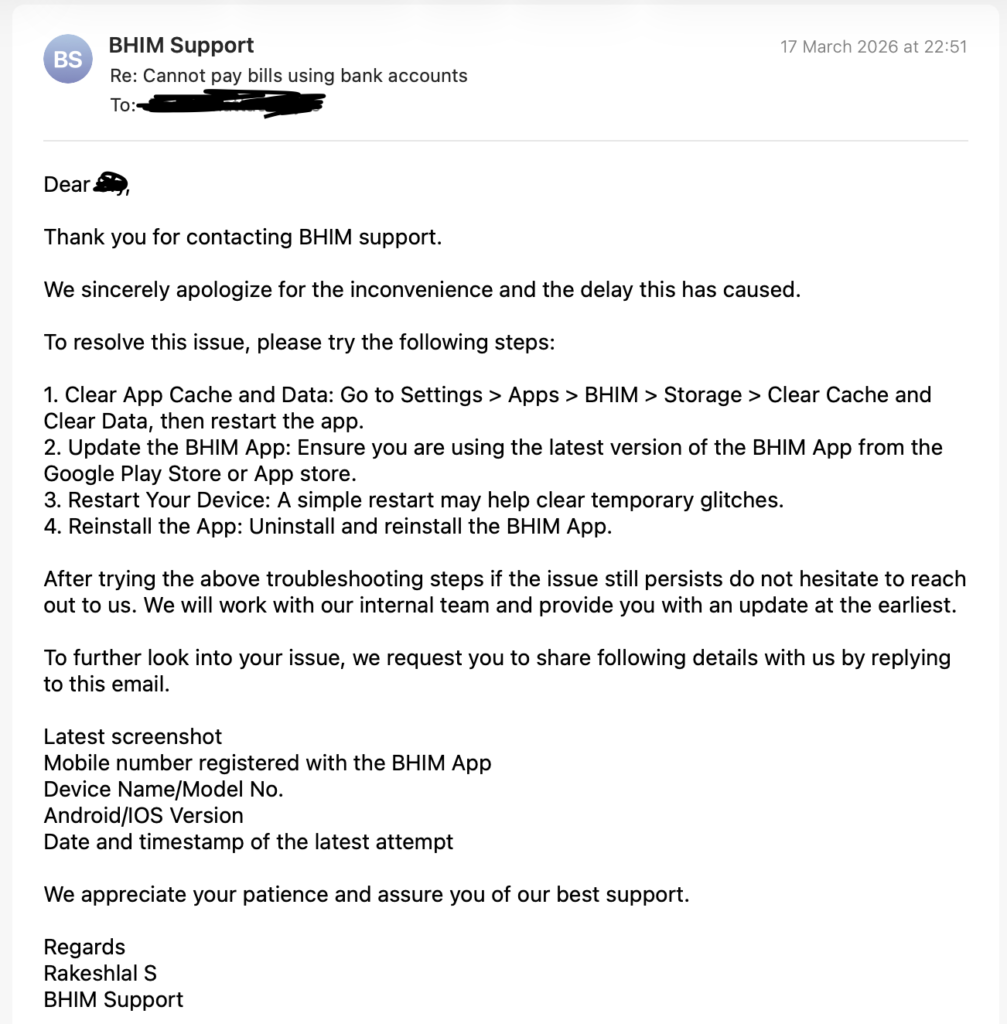
I contacted BHIM customer care via the in-app support option and all they do is send a generic email without reading about my issue and close the case. I tried this 8 different times, went through the same script each time.

Generic email from BHIM customer care

Frustrated, I reached out to NPCI about the issue. No response.

Overall, the app is very clean and functional. Just that it doesn’t work.

UPI AutoPay Mandates are broken

Unified Payments Interface (UPI) is an Indian instant payment system and protocol developed by the National Payments Corporation of India (NPCI) in 2016. The interface facilitates inter-bank peer-to-peer (P2P) and person-to-merchant (P2M) transactions. It is used on mobile devices to instantly transfer funds between two bank accounts using only a unique UPI ID. My complaint is about UPI AutoPay mandates, which seem to have a fundamental flaw.

UPI AutoPay mandates basically let you set up recurring transactions to merchants. This is extremely useful for subscriptions and I have been using this feature for years. I had more than 25 AutoPay mandates with 7-8 merchants set up on Google Pay, my preferred UPI app.

Google disables my account & kills Google Pay

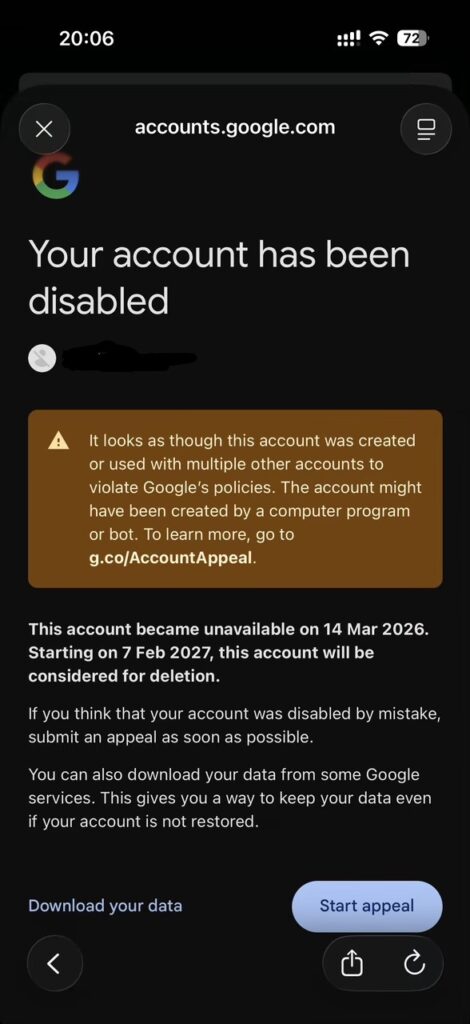
It all started when I changed the email address of my Google Account and some algorithm in Google’s systems found this suspicious and disabled my account.

Google disables my account

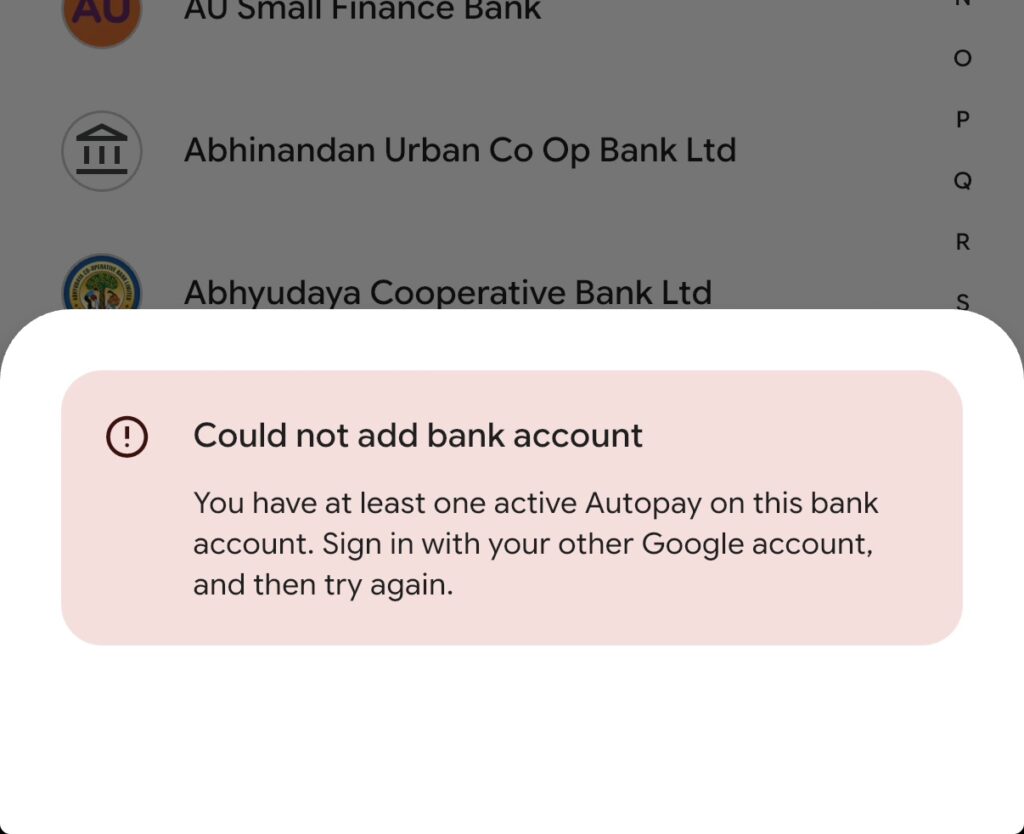
I was able to submit an appeal and get back access to my account, but for some reason, it erased all my Google pay data. When I try registering my accounts on Google Pay now, it says this.

Cannot register accounts in Google Pay because of existing AutoPay mandates

Basically, it has detached itself from my old Google Pay data and won’t let me continue unless my existing AutoPay mandates from (what it thinks are another account) are cancelled.

Google Pay India customer support

I contacted Google Pay India’s customer support via chat, assuming I would be able to explain the problem easily and get it fixed. Wrong!
The Level 1 chat and phone technical support couldn’t even understand the problem. They kept asking me to “go into my other google account” and delete my autopay mandates. I kept crying that there is no other account, it was the same account with a different email address, but they refused to understand.

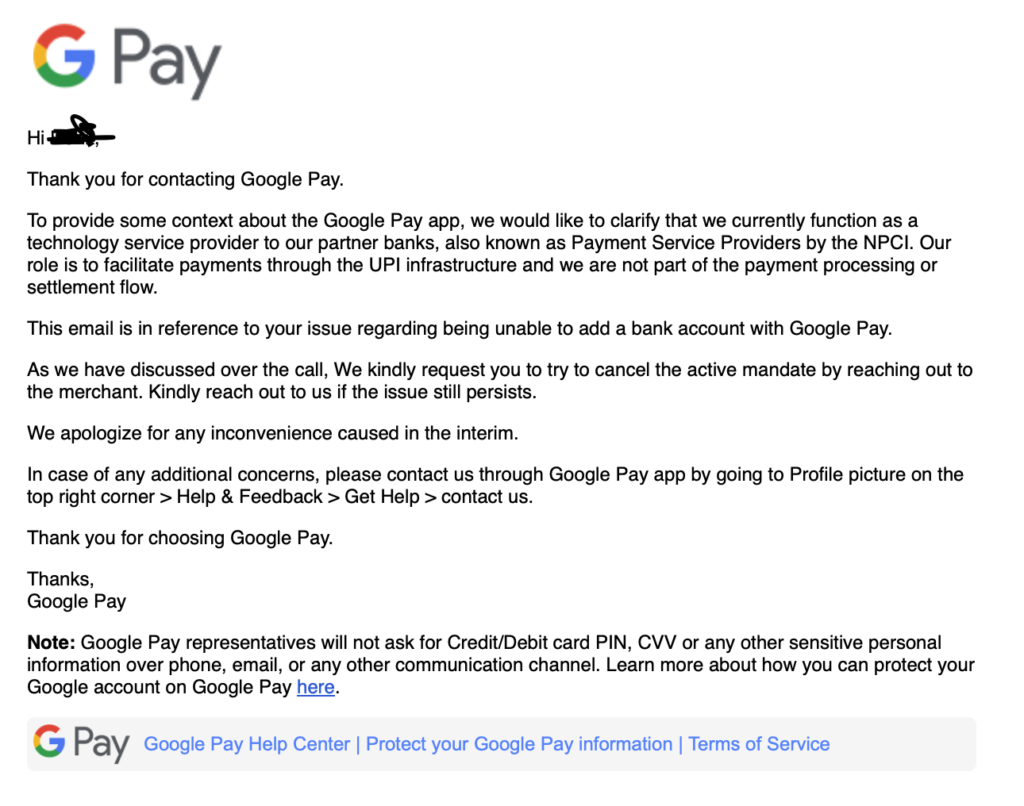
I found a contact for Level 2 support on their website and contacted them and this was their response.

Google Pay cannot cancel my UPI AutoPay mandates, setup via Google Pay

Basically, Google Pay cannot cancel mandates which I had created via Google Pay.

I escalated to Google Pay’s Nodal officer, but he didn’t even bother responding to me.

Axis Bank Customer support

All my Google Pay mandates were linked to my Axis Bank account. Surely, Axis Bank can control who takes money from my account and stop it, right? Not so!

Calls to their regular customer care went in vain. Basically, they kept instructing me on how I can cancel Axis Bank UPI mandates done via the Axis Bank app. I kept crying the mandates were via a 3rd party UPI app, but they refused to understand.

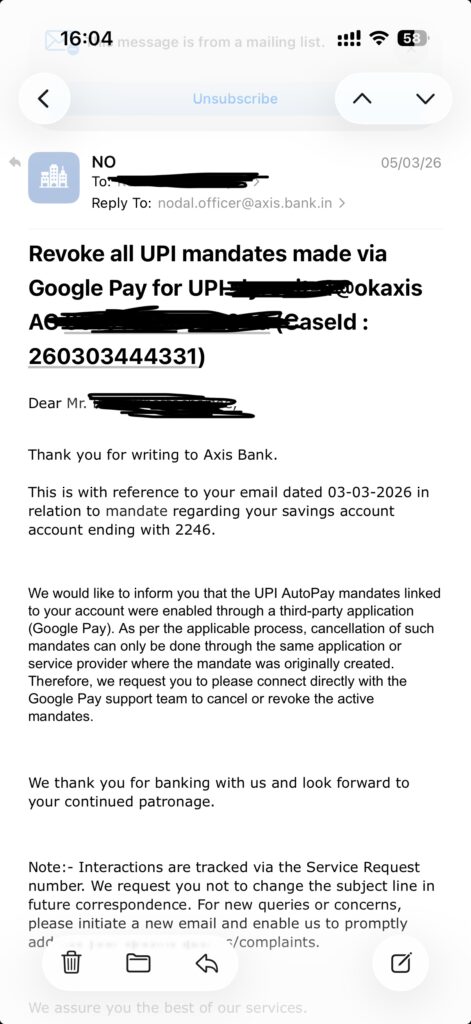
Eventually, I reached out to the Axis Bank nodal officer, and they said this.

Axis Bank cannot cancel my UPI mandates

I really don’t understand how Axis Bank cannot stop someone from taking money from my own account. Never mind, I decided to do this via National Payments Corporation of India (NPCI) .

National Payments Corporation of India (NPCI)

Luckily, NPCI provides a portal where you can login and do exactly what I was trying to do.

First of all, the website doesn’t work out of India without a VPN. So much for making UPI global, yes?

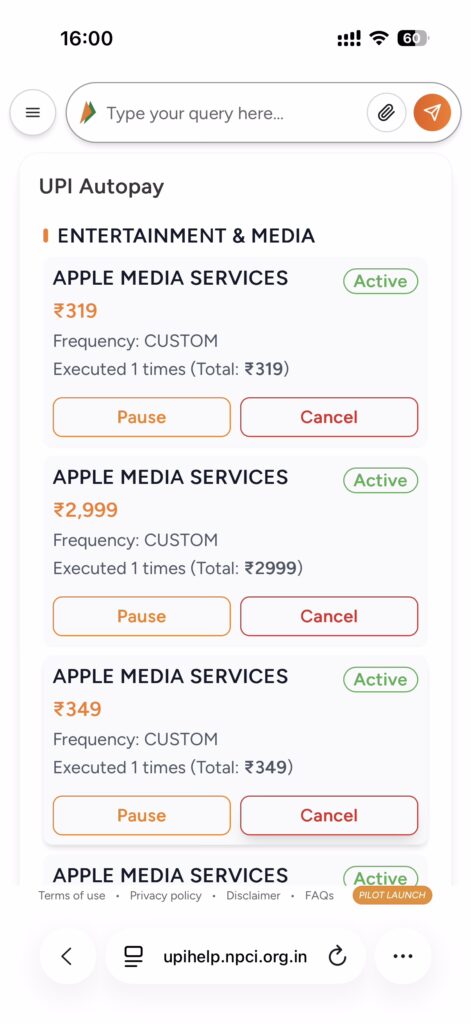
With a VPN, I was elated to see all my mandates with a “Cancel” button next to them. This should be easy now, yes? Not at all.

UPI Help showing my AutoPay mandates

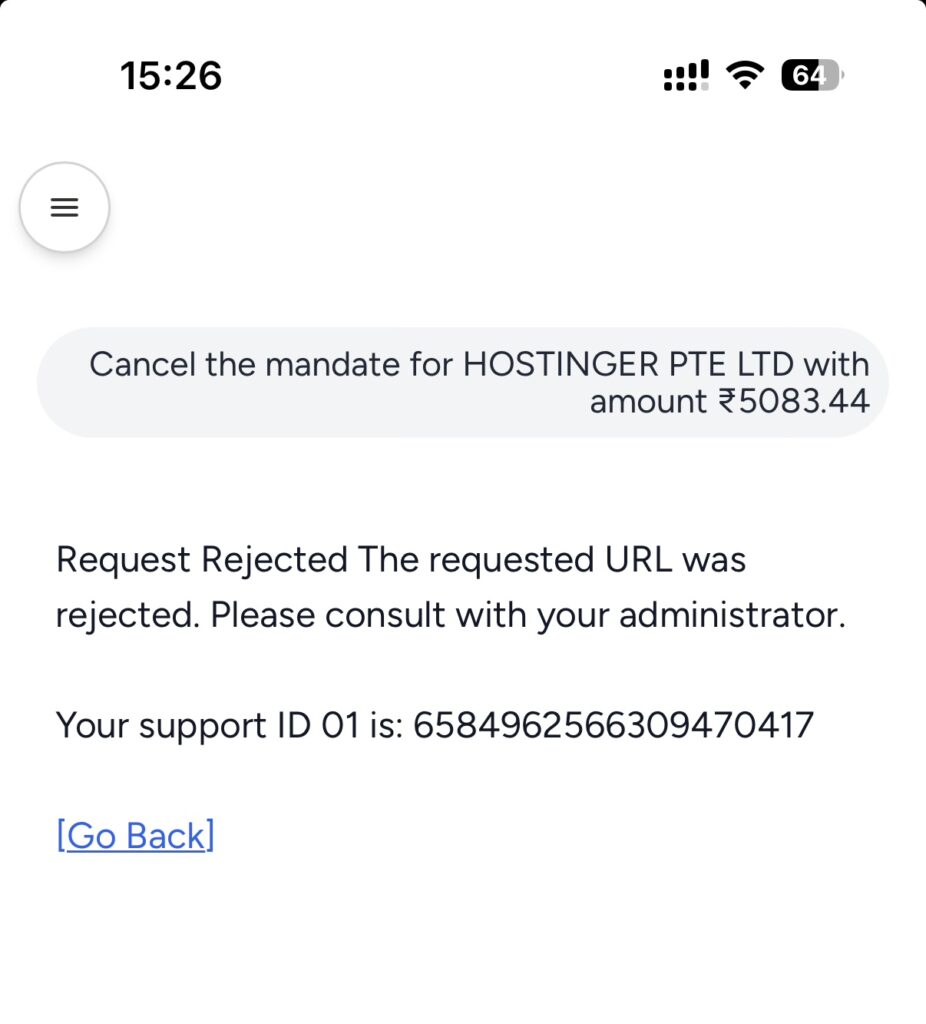
Clicking cancel fails spectacularly. It’s not even a one time error. I tried this over many weeks with the same results.

UPI Help won't let me cancel the mandates
UPI Help won’t let me cancel the mandates

Why even advertise a feature which doesn’t work? Either ways, it at least confirmed to me that NPCI has control over my UPI AutoPay Mandates. So next, I reached out to their customer care via email.

One email, 2 email, 3 emails, no response. They ghosted me for weeks not even bothering to respond.

One thing is clear, UPI AutoPay mandates are not well thought out, there’s no clear accountability between the bank, the app and NPCI. Never using them again!

Harassment Campaign by Bhikhari Mama

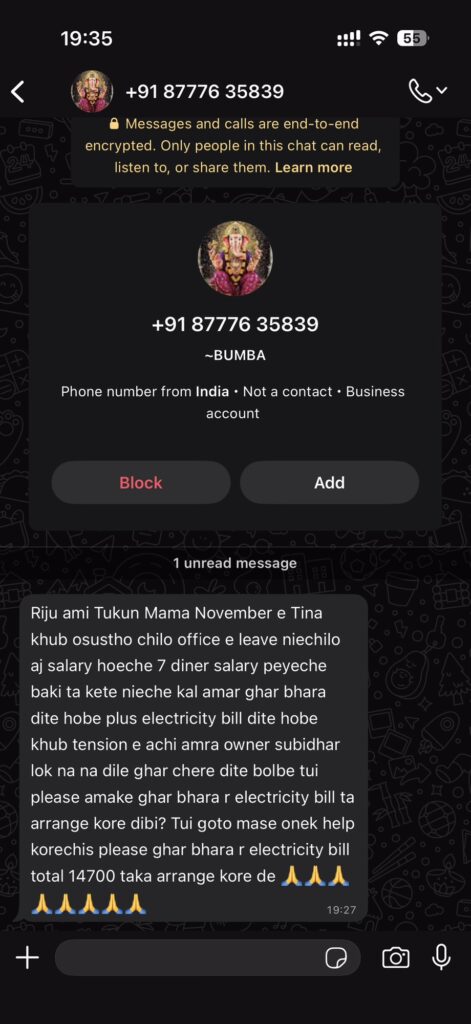
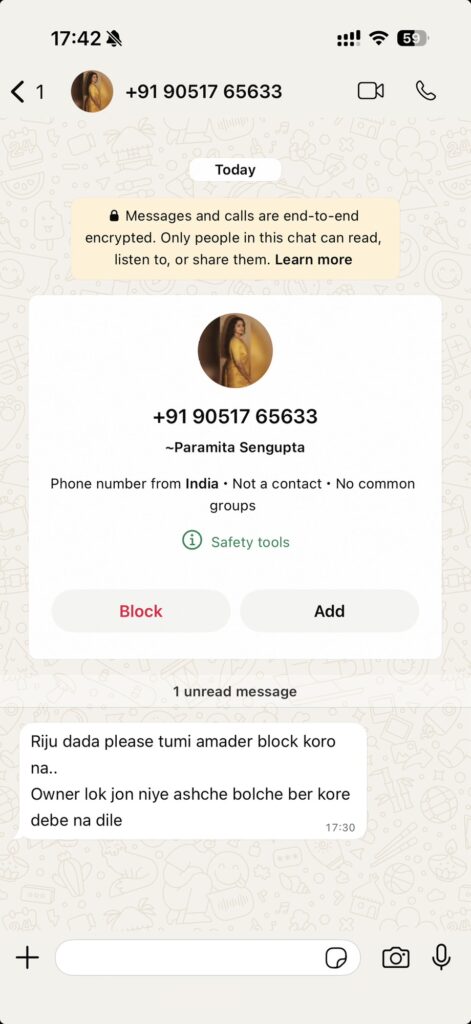
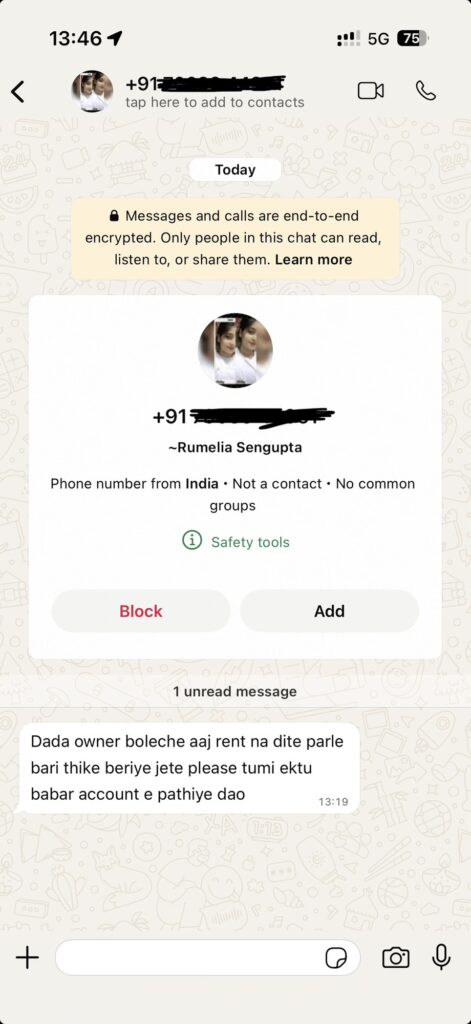
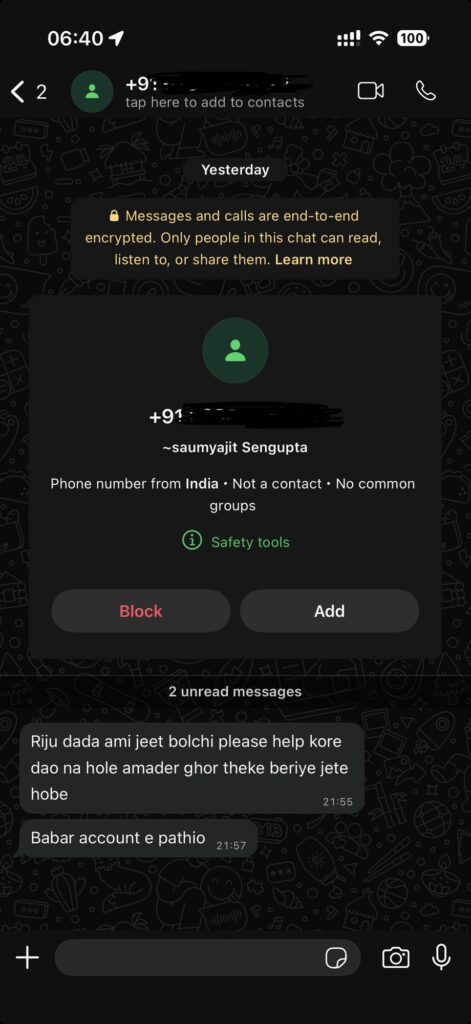
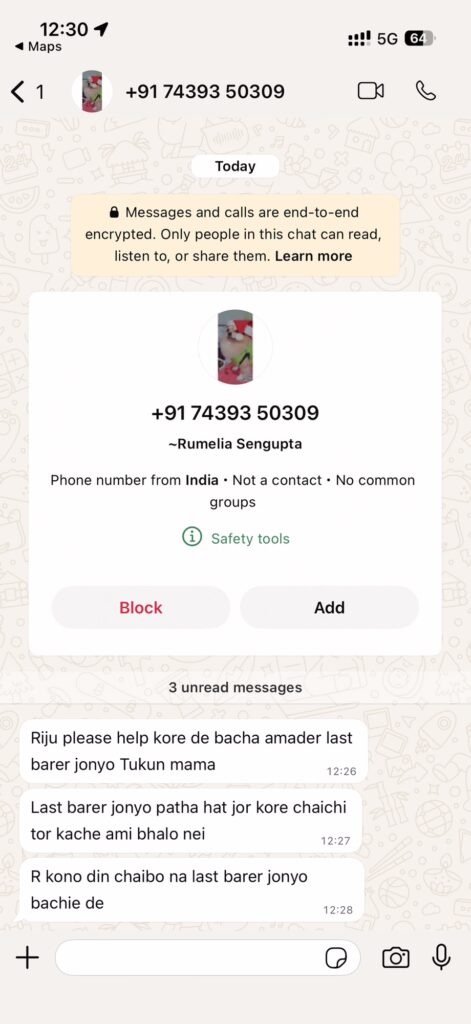
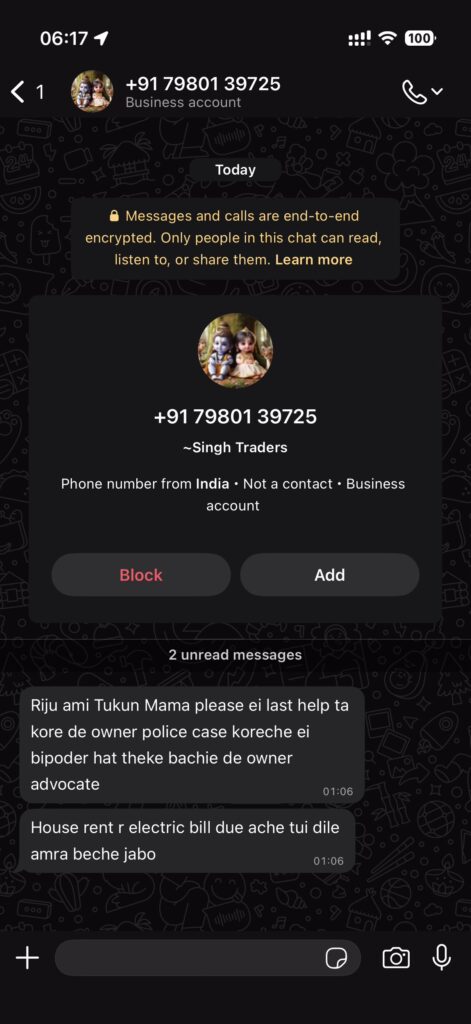
Below, I document a co-ordinated, well-thought out harassment campaign launched against me by my Bhikhari Mama (Beggar uncle). I have censured his kids’ phone numbers, but not his and his wife’s.

Bhikhari Mama’s Adolesence

To understand why Bhikhari mama is like this, you first need to get to know his personality and factors that shaped it. This Mama is my mother’s cousin (my mother’s father and the mama’s mother were siblings). We were very close when I was growing up, I used to spend at least a few weeks at his hovel in a small township near Asansol during my summer holidays (often with no electricity).

The worrying signs started when he graduated and “couldn’t” hold any job for any lengths of time. Eventually, we noticed that his mother had an iron grip on his career and would often tell him to leave jobs if they made him work “too much” or asked him to do “too much work”.

After a few years struggling like this, my father hired him as his personal assistant with his personal money and even bought him a computer. During that year, his job was to come to our place in Durgapur, play computer games, eat free food and then go home. Eventually we moved away and this arrangement could no longer continue, so my father got him a proper job in a company as a Data Entry Operator. I also grew up, and stopped visiting them every year, so we drifted apart.

Bhikhari Mama’s “Career”

Unbeknownst to me, Bhikhari mama was a pain in the workplace. He boasted to everyone that he had the blessings of my father (who was a big shot). He had unreasonable demands when it came to working hours and his work load and insulted people. His peers and bosses were probably intimidated by my father and didn’t tell him any of this.

The day my father retired, they kicked him to the curb. Over the next few years, my father and many of our relatives helped him get various jobs, but he couldn’t keep any of them. For one job interview, he spat on the interviewer and had his wife call him and curse him, too. Needless to say, he didn’t do any favours to my father’s reputation in the industry.

The Begging

Soon it became clear to him that he couldn’t earn any money, so he started begging. For the first few years, all the relatives, including my father and me gave him monetary support. But when it became clear that he had no interest in actually earning a living anymore, we all stopped. He kept begging from time to time, I sometimes gave him money, but not always.

During all this time, he never bothered to ask how any of us was doing. All messages were limited only to money.

Start of Harassment Campaign

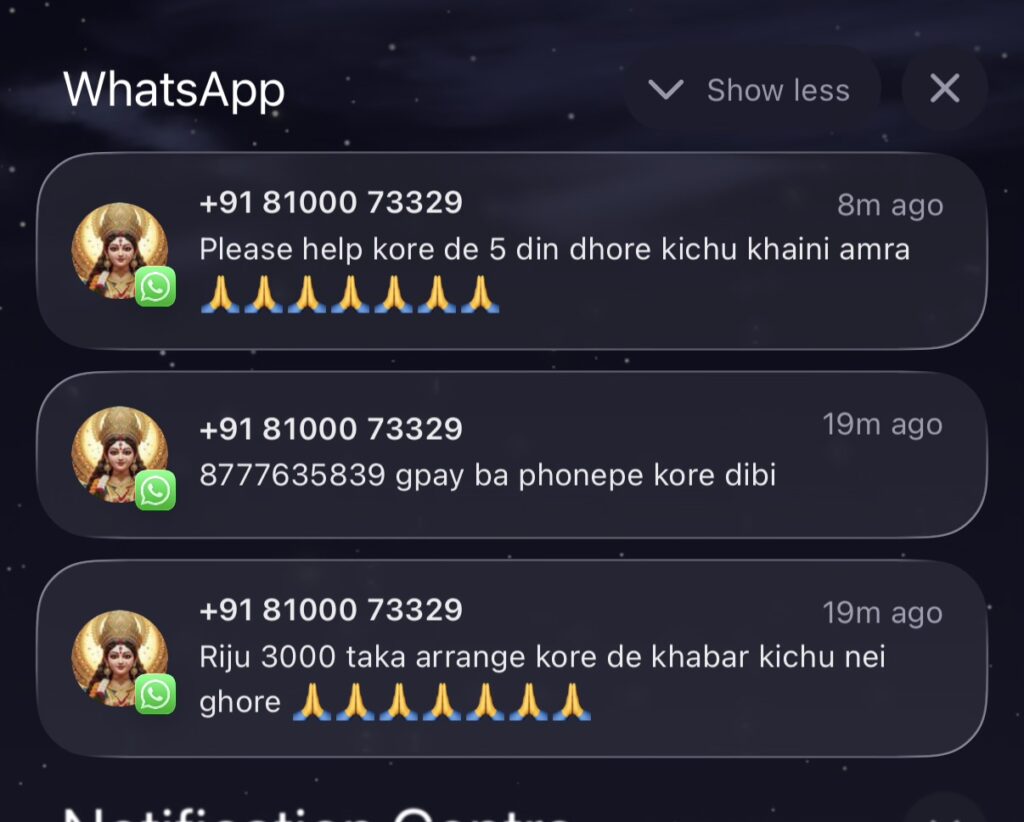
He messaged me a few weeks ago, as usual asking for money.

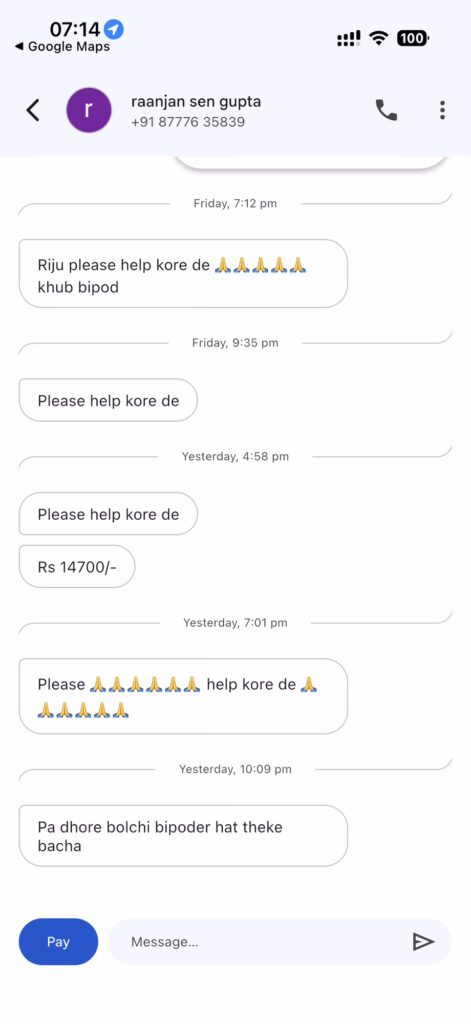
Bhikhari Mama says: 1. Please help, we haven’t eaten anything for 5 days 2. Send money to 8777635839 3. Please arrange ₹3000 there’s no food at home
Bhikhari Mama says:
1. Please help, we haven’t eaten anything for 5 days
2. Send money to 8777635839
3. Please arrange ₹3000 there’s no food at home

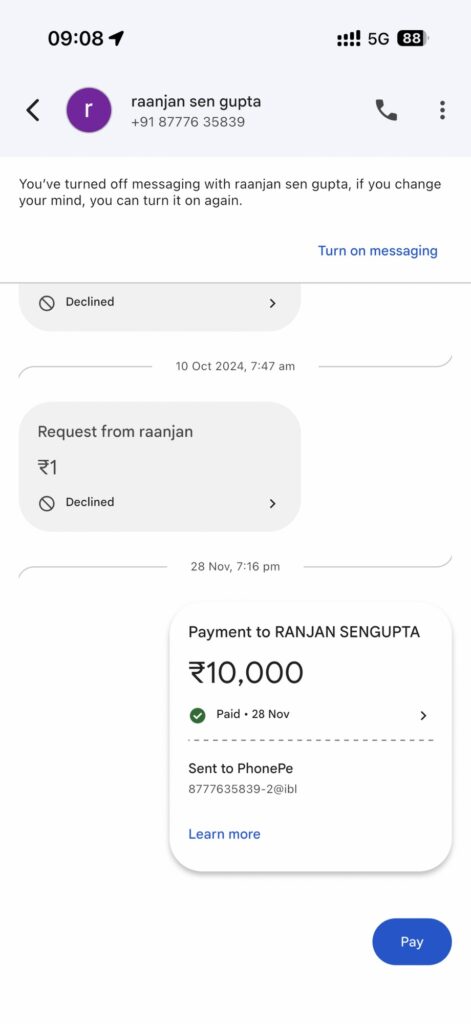
Since he sounded extra desperate and I had some free cash, I paid him, messaged him and told him I will not be able to give any more and blocked him.

Paid Bhikhari Mama ₹10000, my mistake

Not listening to my father and paying him was my biggest mistake and the start of the harassment campaign by the bhikhari mama.

WhatsApp

His harassment campaign started on WhatsApp.

First he messaged me from someone else’s number. When I blocked it, his wife messaged me. Rise and repeat with his son and daughter (Who frequently boats of thousands of social media followers, by the way).

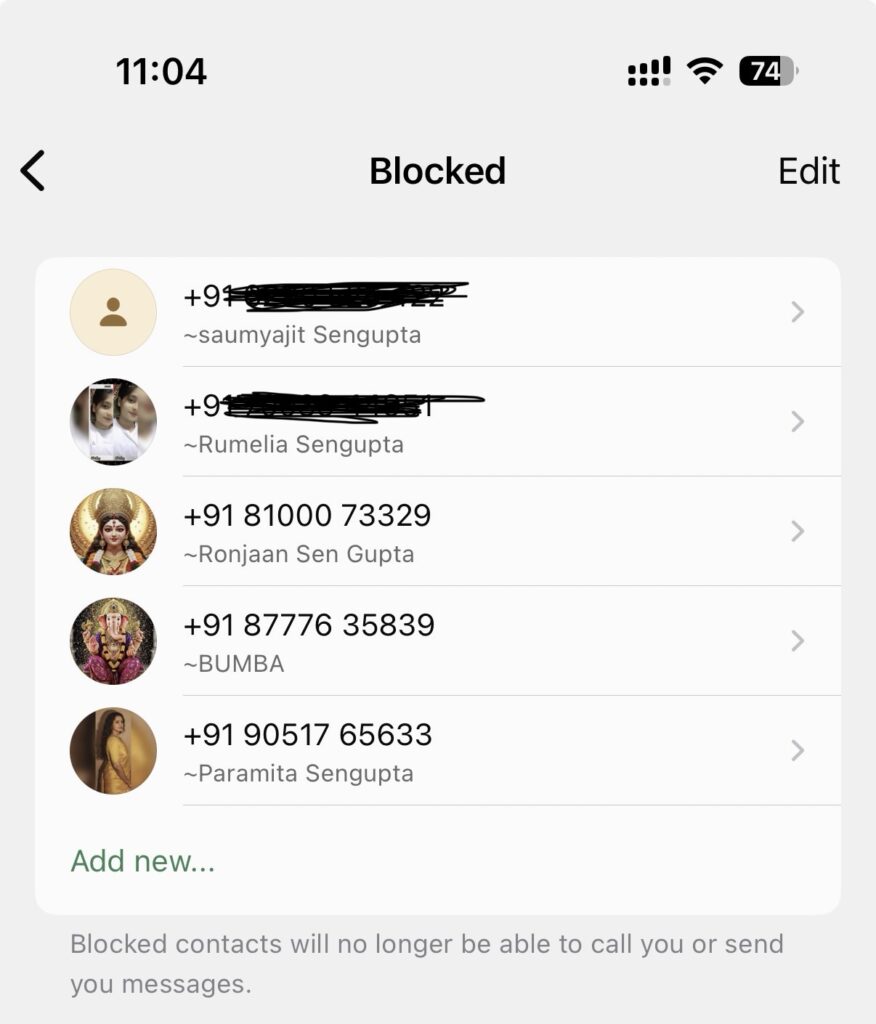
Currently, my WhatsApp blocked list only has his family and friends.

My WhatsApp Blocked List

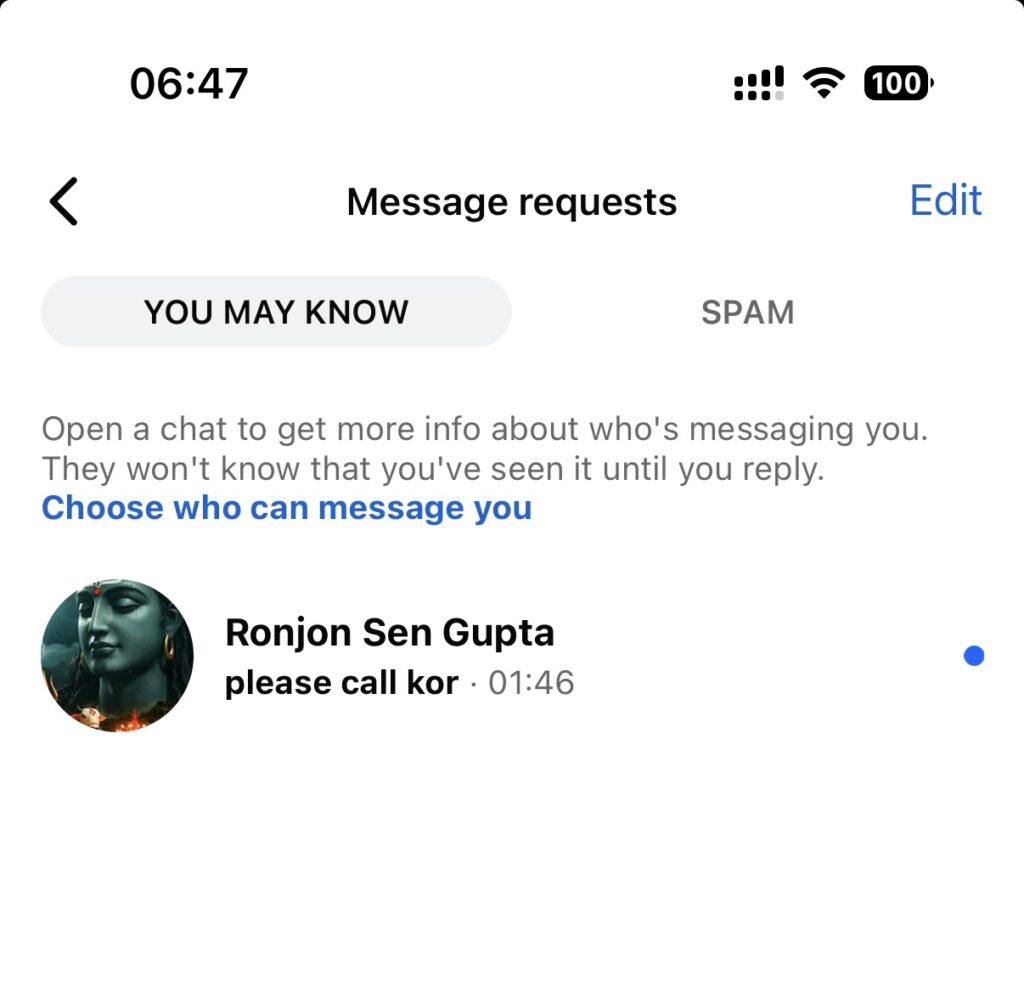
Facebook

Having exhausted WhatsApp as an option, they all pivoted to Facebook.

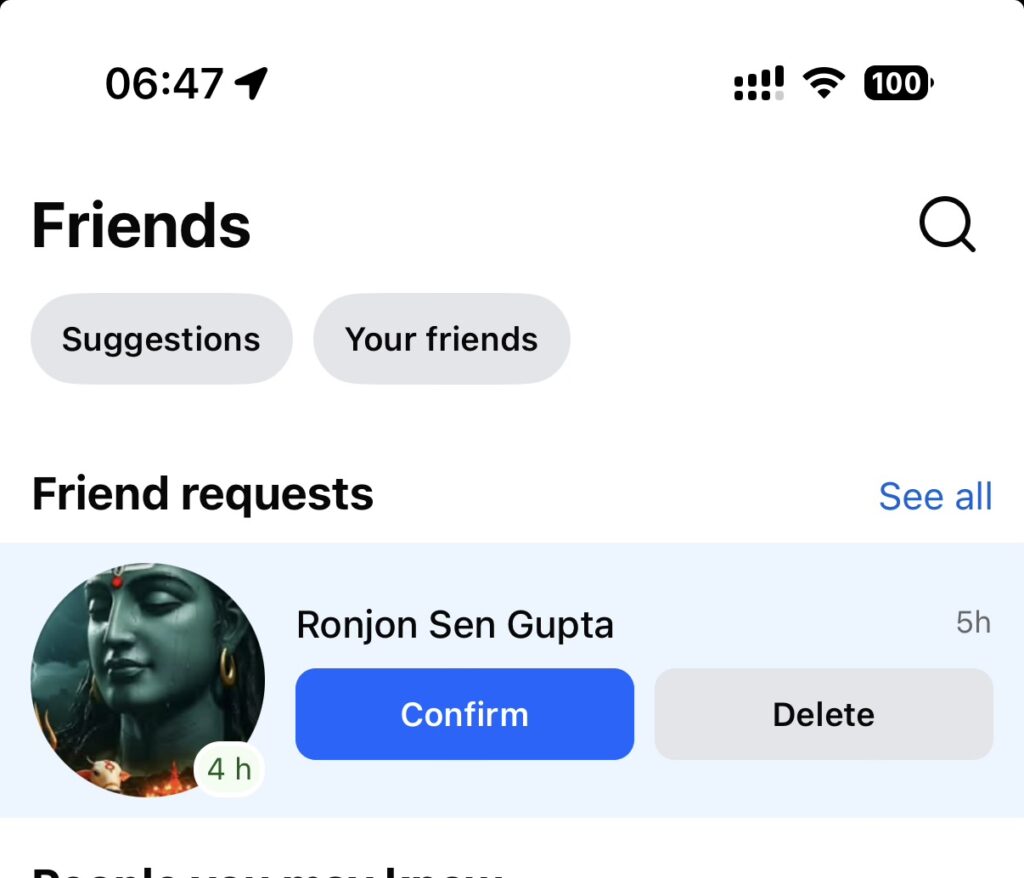
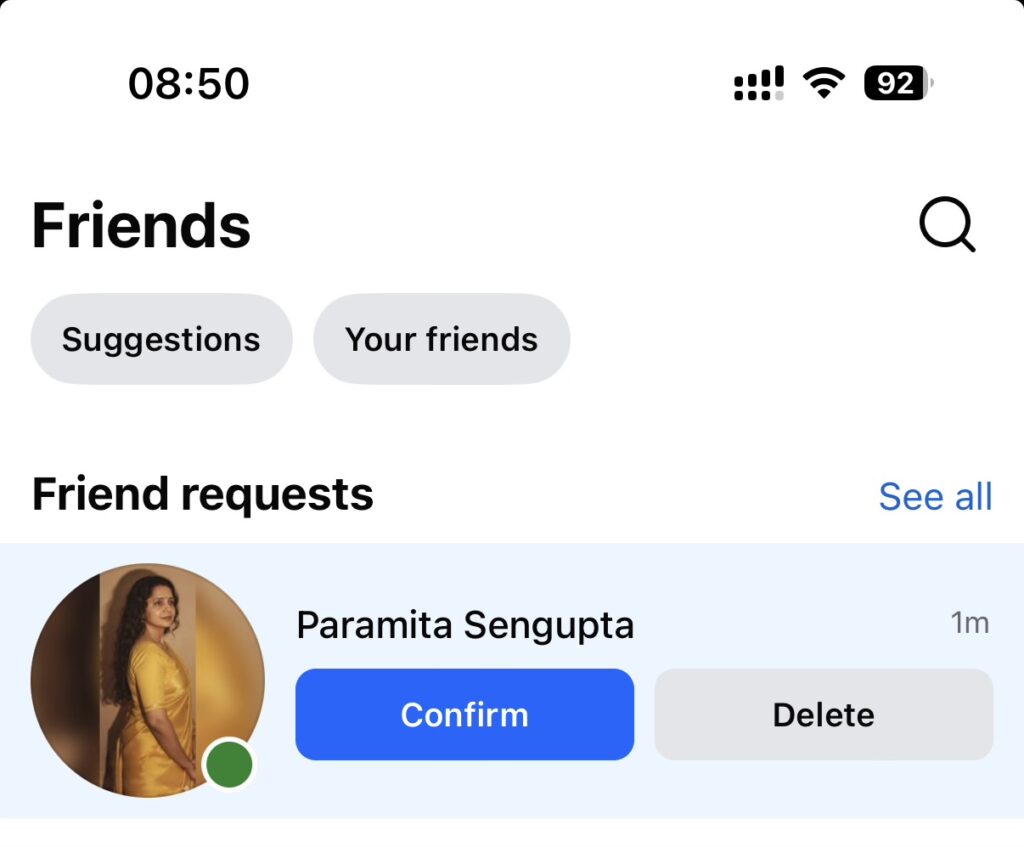
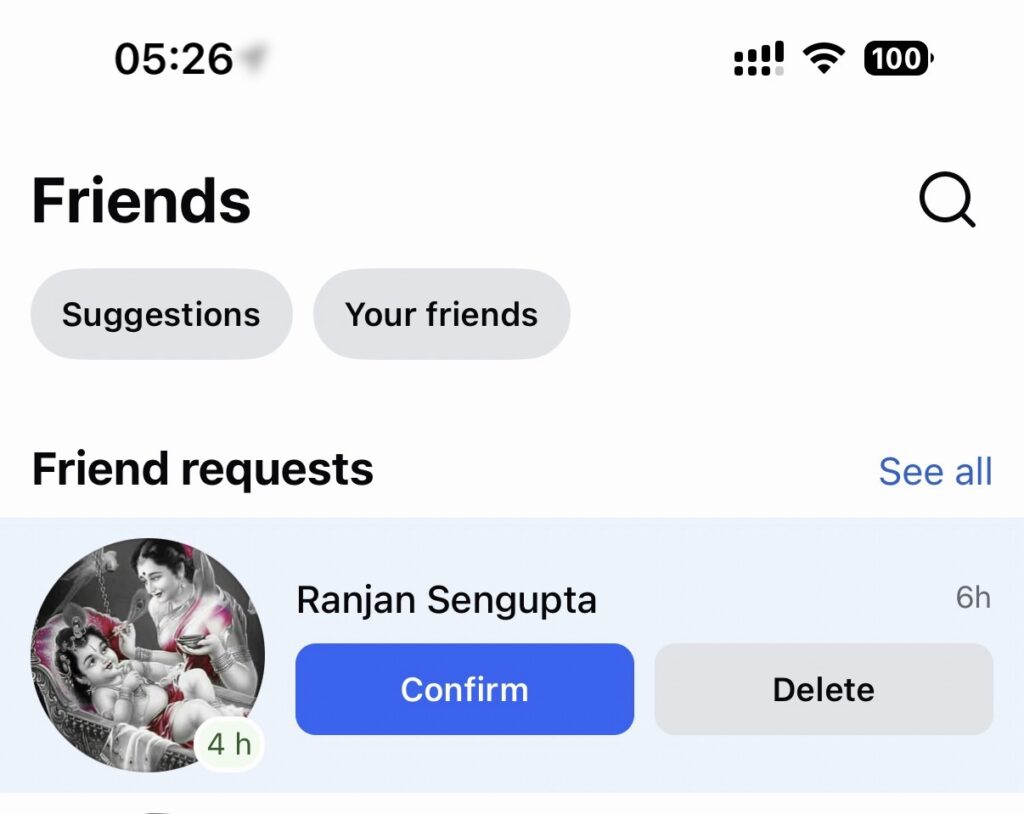
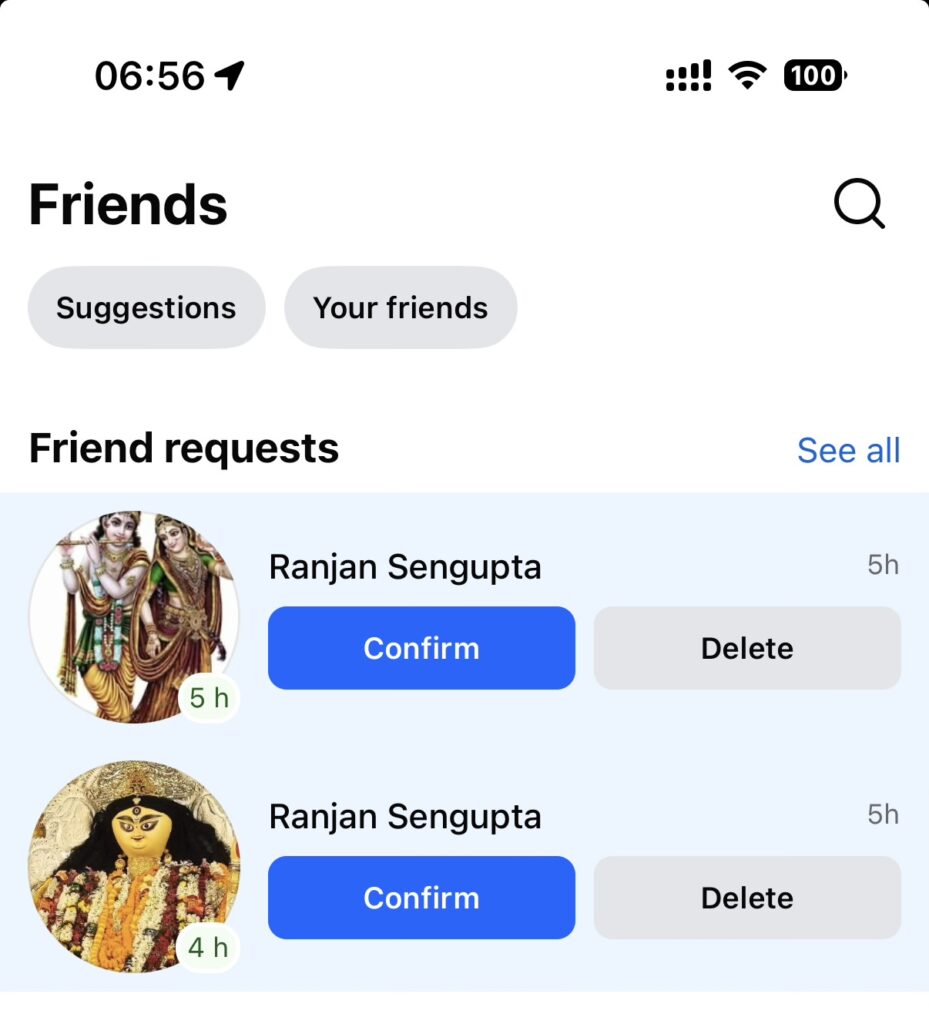
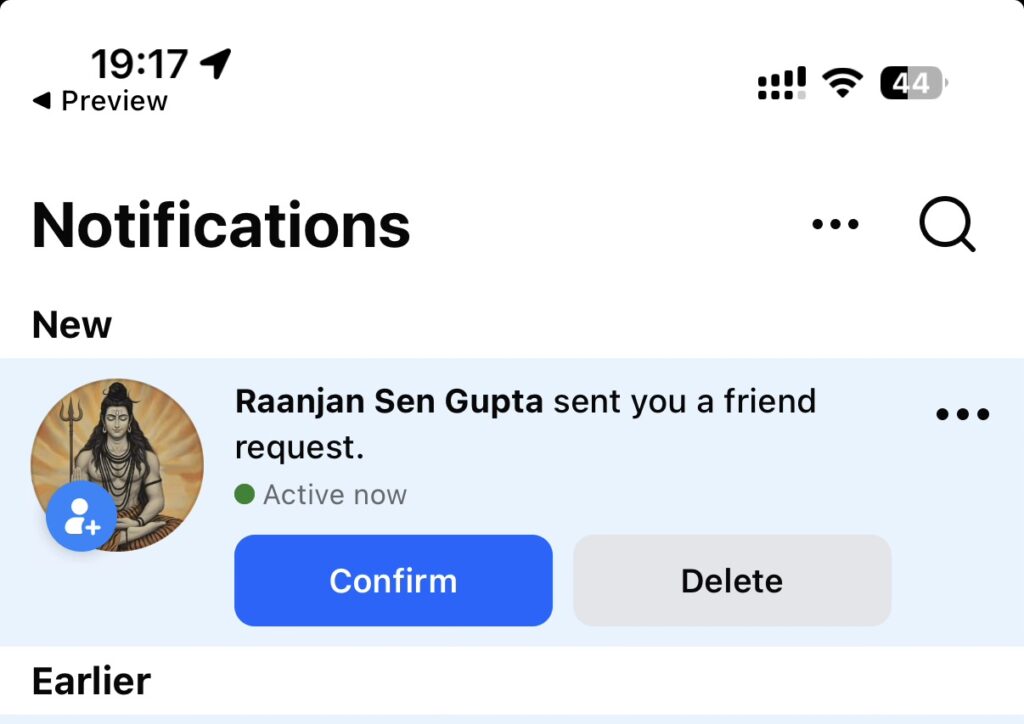
Bhikhari Mama seems to make a new Facebook profile everyday, each with a different Hindu god’s photo.

Phone Calls

Having being blocked on social media, he pivoted to good old fashioned phone calls. I had to turn off my Indian number because he was calling so much and from so many different numbers. if I turned on my number, within 10 mins he would start calling from a new number.

What’s left?

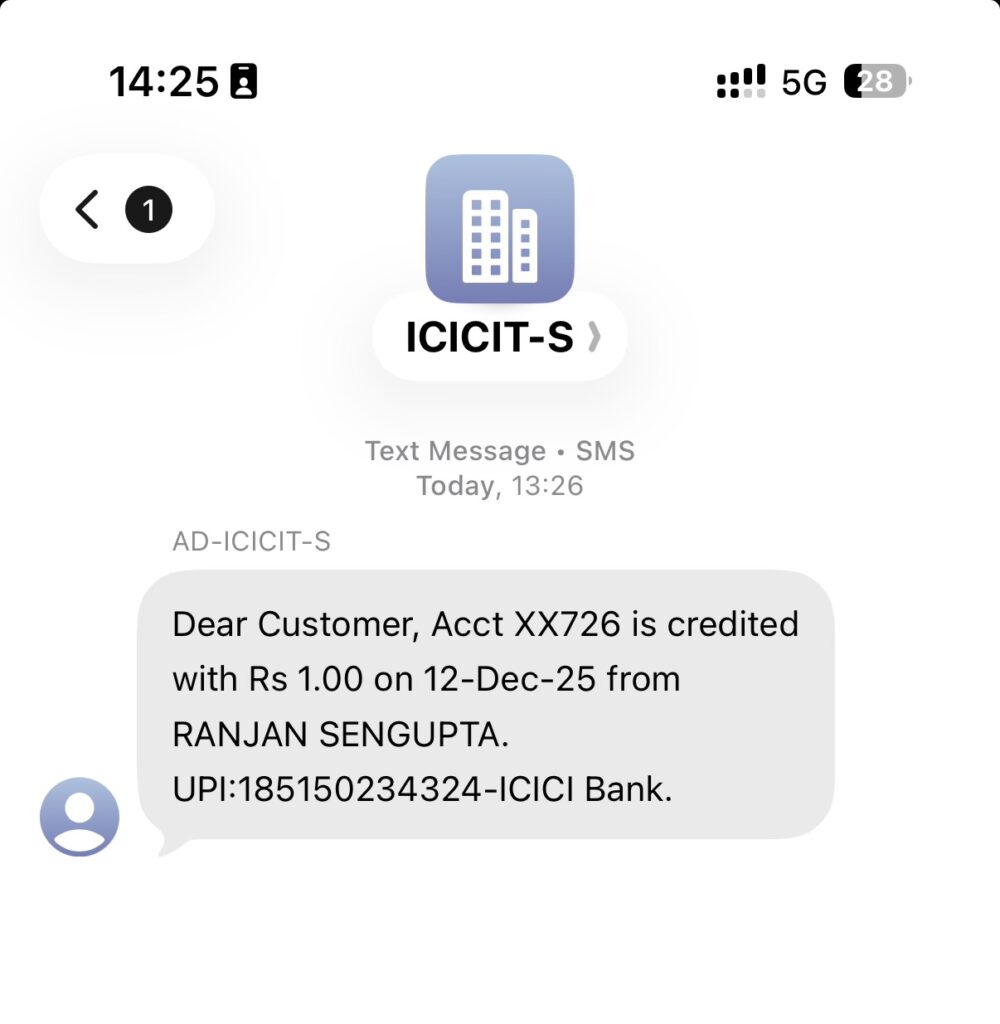
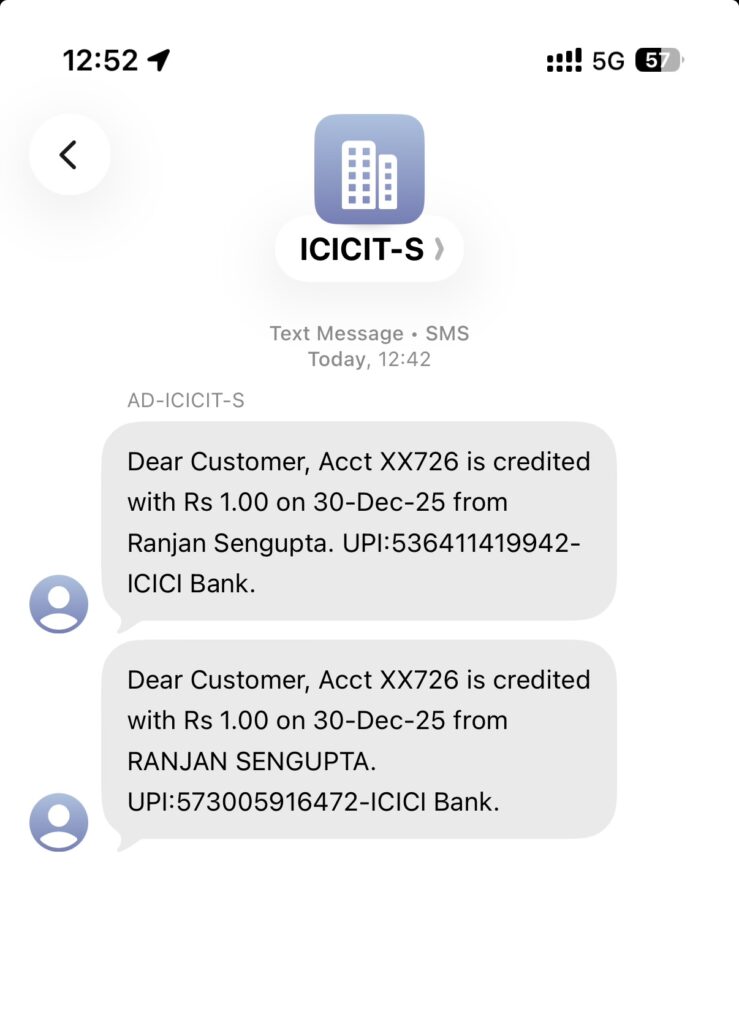
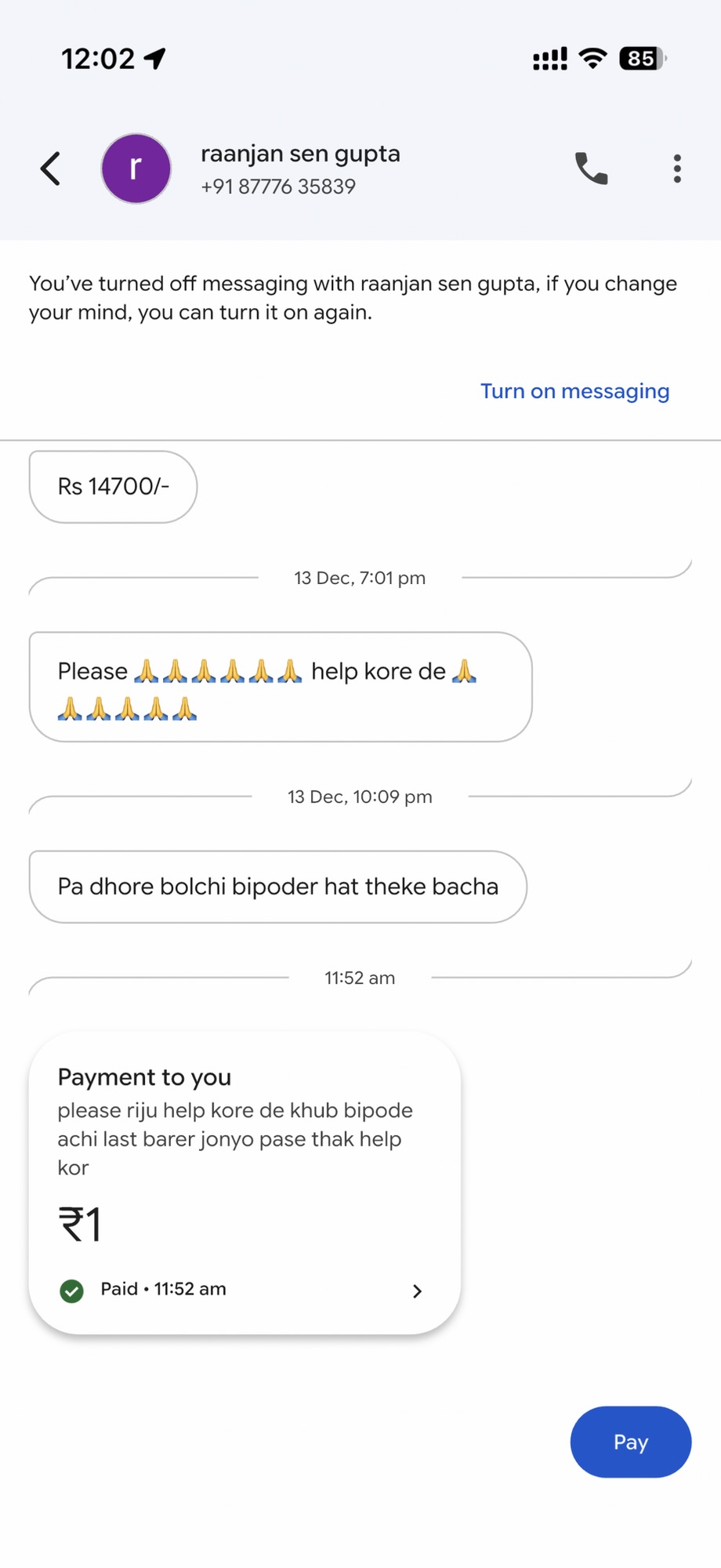
For some reason, he transferred me ₹1. After a couple of weeks, he transferred me ₹1 again. I have still not been able to figure out what his endgame was, with this move.

Soon, he discovered that Google Pay can also be used for begging and started messaging me there. Luckily, Google Pay allows you to block people.

Bhikhari Mama using Google Pay for messaging

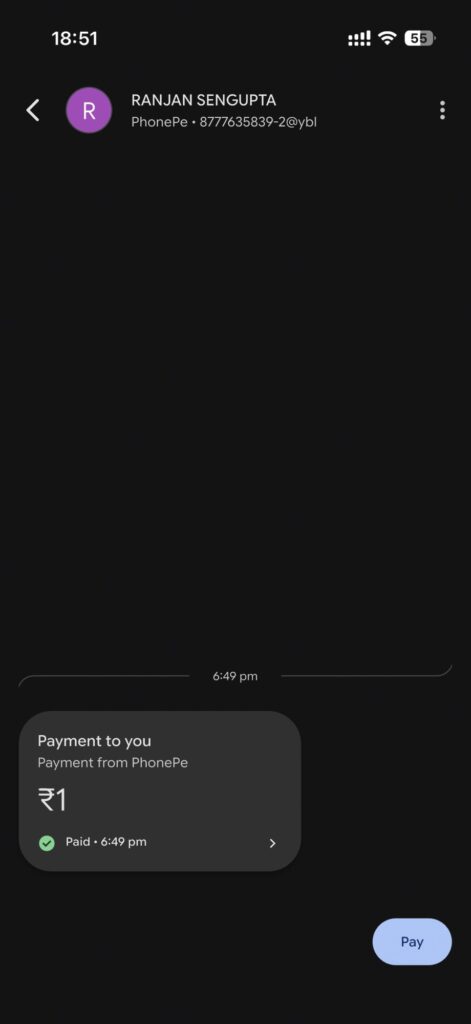
Turns out, even after you block someone from messaging you on Google Pay, they can still piggyback messages over transactions. So I had to block him wholesale.

Bhikhari Mama using UPI for Messaging

What vile creature asks his children to beg someone for money? Last few days have been quiet, wonder how many more profile, phone numbers he will use.

Amazing Thailand Marathon 2025

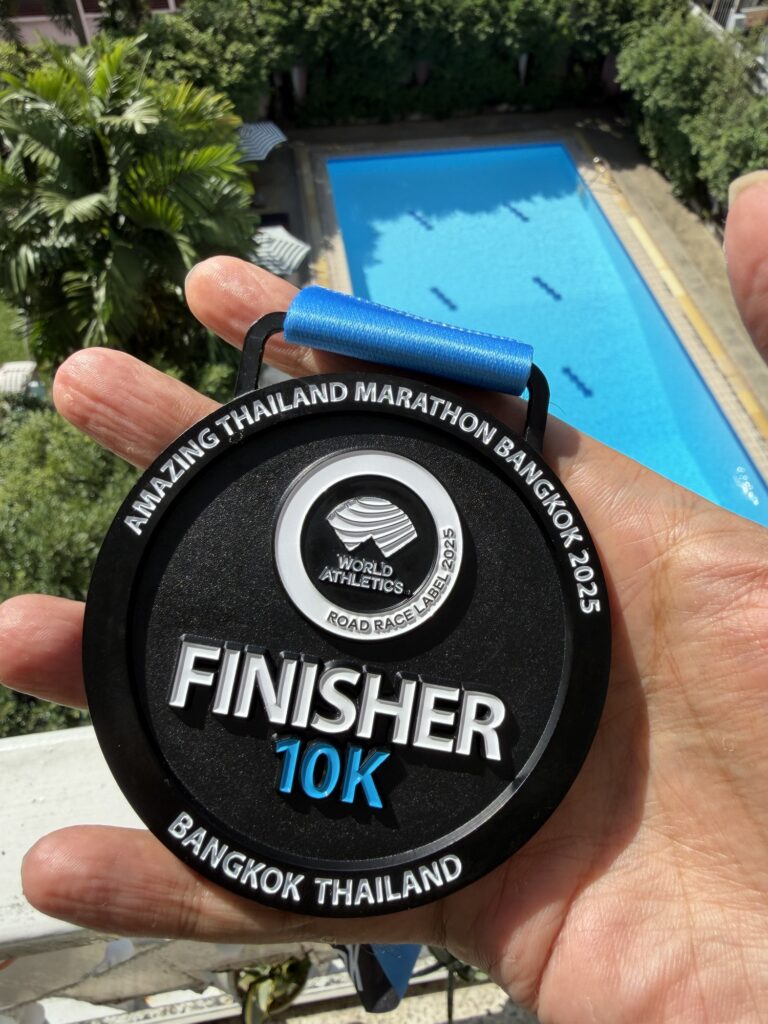
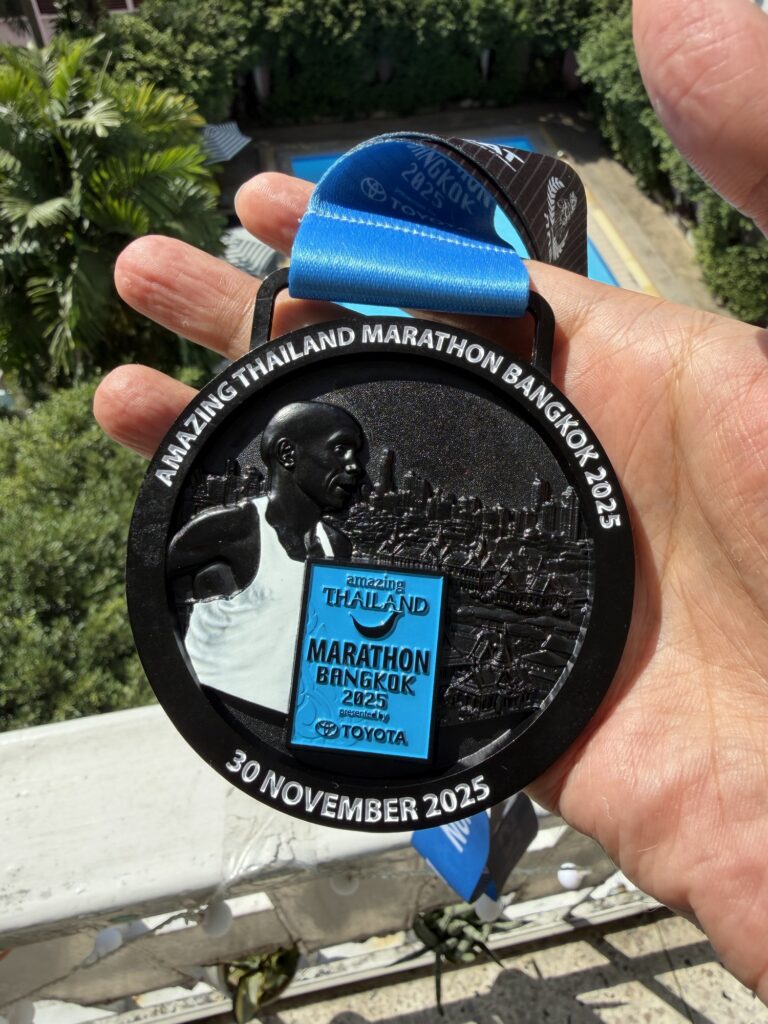
Another year, another Amazing Thailand Marathon, 2025. This was my third time participating in this race.

Getting There

This time I did the right thing and took the 4:30 MRT to Sanam Chai station. There was not an inch of free space in the train. I reached there 45 mins before the gun time, but I underestimated how long it would actually take to get to the starting line. The crowd was unlike anything I had seen before; I still reached the starting line late and started right at the back.

At least there was a very nice drone show to look at on the way there.

The Race & Stats

I started at the very back and struggled throughout to get up front; eventually giving up. Because of the same reason, I did not run intervals, running at a more comfortable, steady pace.

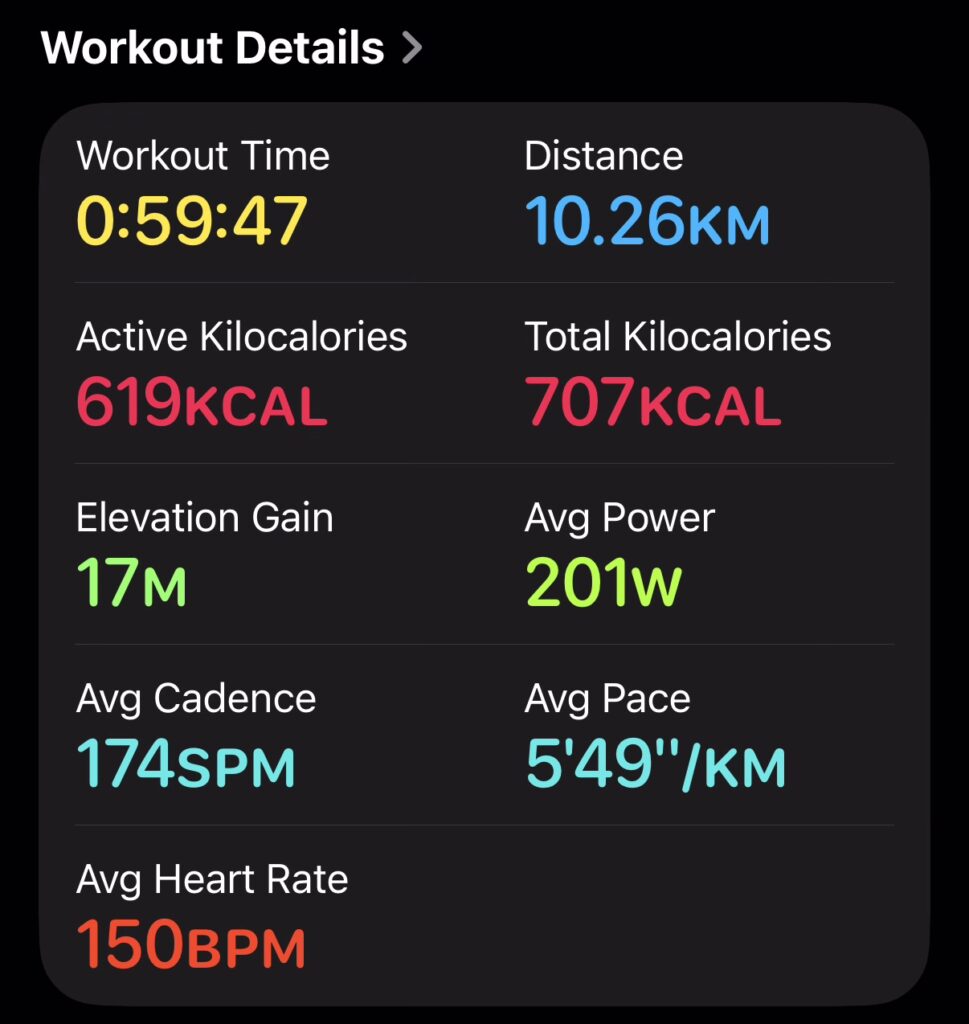
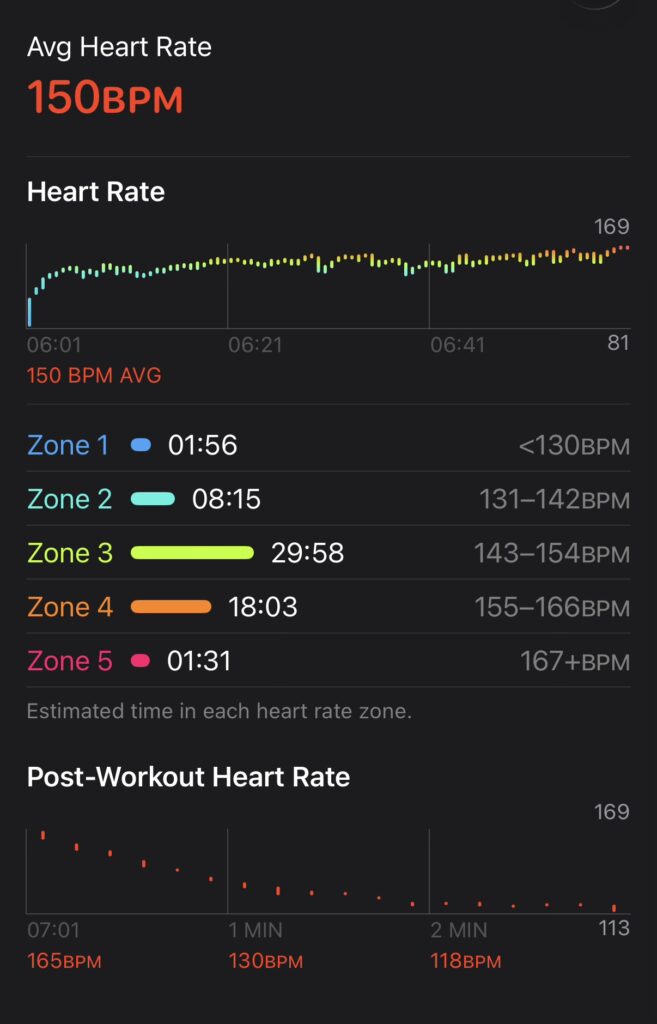
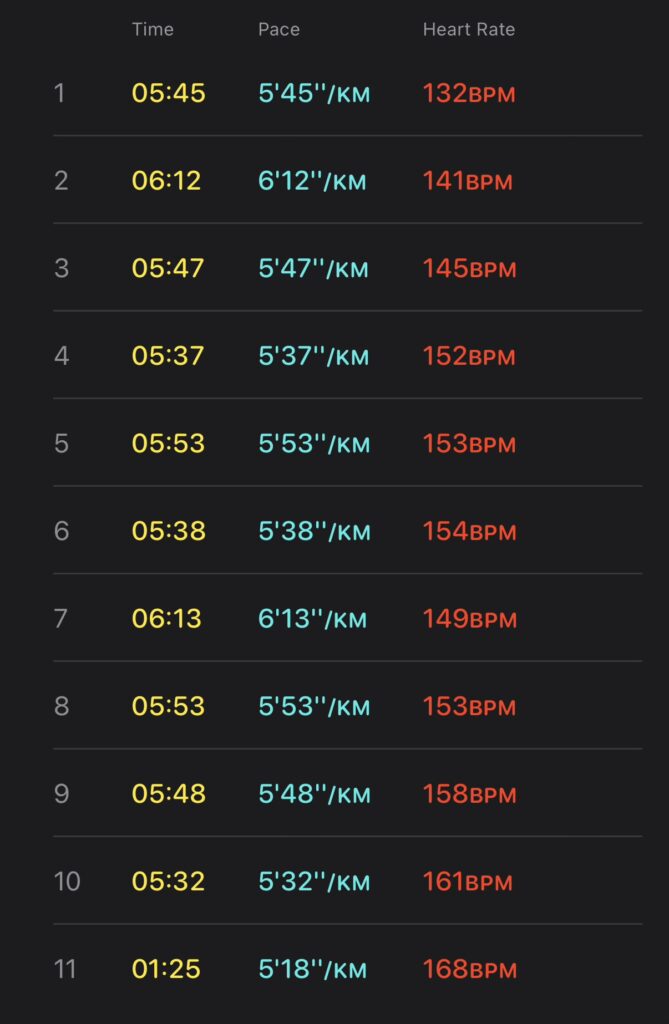
Amazing Thailand Marathon Bangkok 2025 Statistics

Luckily, I still managed to comfortably below the 1 our mark, even though my right knee was seizing up.

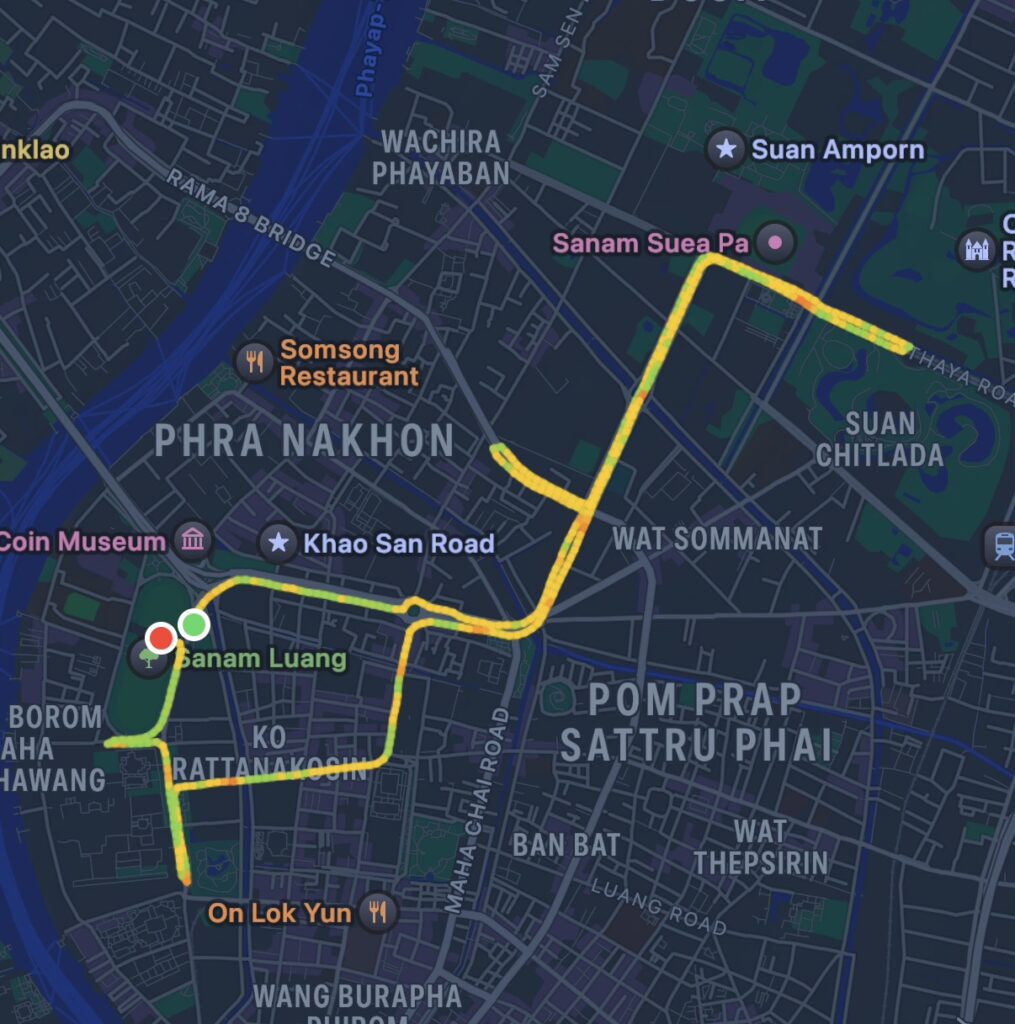
The route was familiar, taking us past all the familiar landmarks of old Bangkok. Overall, I felt the run get over fairly quickly.

2025 Recap

Below, I did a comparison of my formal races in 2025.  

MONTHRUNTIME (HH:MM:SS)ENERGY (KCAL)SHOES
Feb ‘25Bumrungrad Race to Heal ‘2500:55:35633KCalSaucony Triumph 22
May ’25Bangkok Park Run00:56:15693Saucony Triumph 22
Aug ’25Run for Mom00:56:18758Hoka Mach 6 (Wide)
Oct ’25Garmin Run Asia ’2500:55:04748Hoka Mach 6 (Wide)
Dec ’25Amazing Thailand ’2500:58:38707Hoka Mach 6 (Wide)
2025 Runs performance comparison

How India is a low-trust society

As I near 5 years since I moved abroad, each trip back here makes me realise how India is a low-trust society.

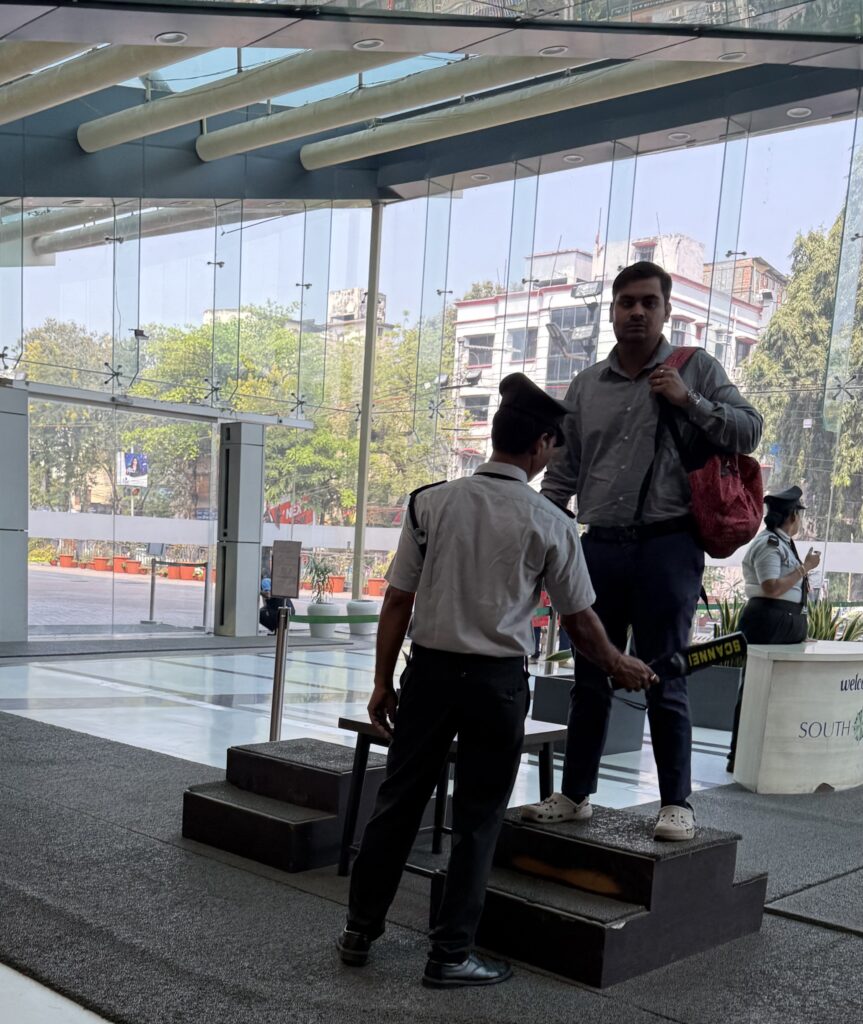
A man being frisked at South City Mall, Kolkata

What makes me think so

  1. OTPs for everything
    • Package deliveries for values as low as ₹400 require providing an OTP to the delivery person. This makes un-attended deliveries almost impossible.
    • OTP is required to start Uber/Ola rides.
  2. Extensive authentication required to go into a residential building, which requires approval from the resident and in some cases proper interrogations from the security guard(s).
  3. Credit Card transactions at PoS machines require a PIN.
  4. Credit Card transactions at online merchants are not seamless, making recurring un-attended transactions impossible in most cases (Eg you cannot associate a credit card with your Apple account and buy things with 1 tap).
  5. Cannot enter Airport without showing a valid ticket.
  6. X-Ray machines, metal detectors at shopping malls. They even check below your car to see if you have a bomb strapped to it.
  7. Some merchants allow very limited quantities of some items. Eg, I wanted to replace the bulbs in my room and Blinkit won’t let me order 2 of any one type of bulb. Eventually I had to select 2 different makes.
  8. Hospitals make you pay before you even see a doctor.
  9. People are paranoid about security, even in gated societies, even with the above authentication. See example below
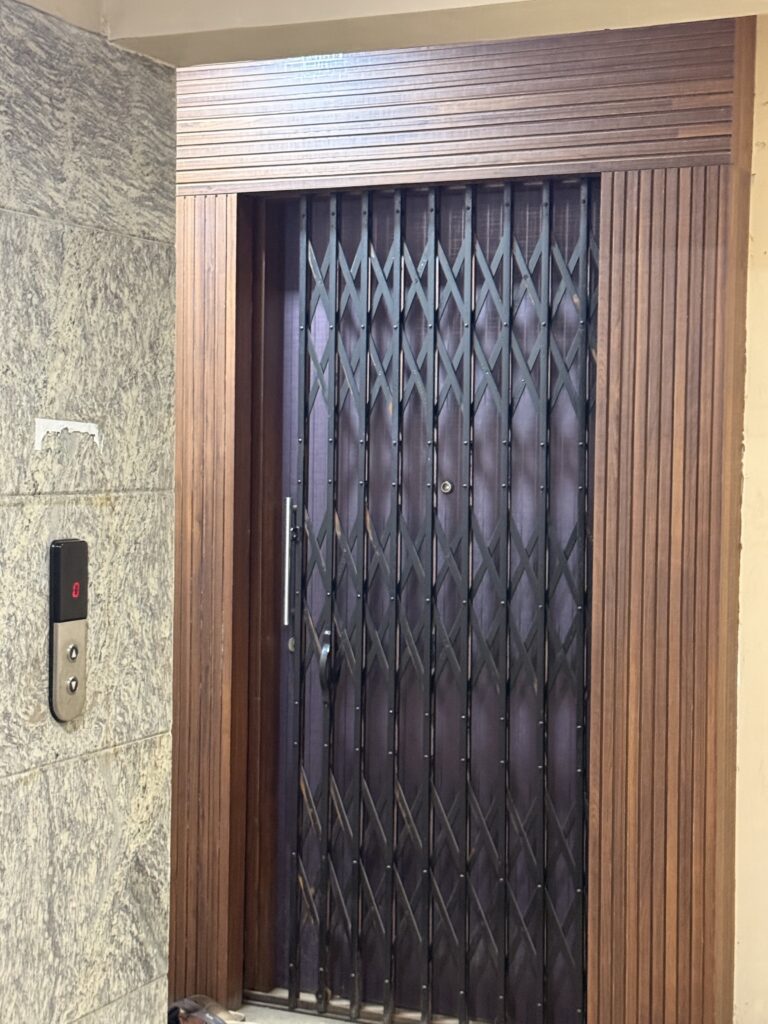
Personal gate in a gated society

Why has it come to this?

Now, I am not arguing that the above steps are not required (they most certainly are), but why are they specifically required for us?

Barring security issues which are courtesy terrorism, most of the above comes down to how un-trustworthy we Indians are. Surely, we have been stealing others’ Uber rides, package deliveries, credit cards long enough that they had to come up with all this.

Sad.

How to be an Insufferable Farang

Depiction of farang as a stone guard at Wat Pho in Bangkok; circa 1824–1851

As per Wikipedia, the word Farang loosely translates to someone of caucasian descent. In practical use in Southeast Asia, it is more widely used to refer to white men; less frequently women.

In this article, I cover a specific class of Farang living in Southeast Asia – The ones who consider themselves authentic (travellers, not tourists kind) and come to Asia to (re) discover themselves. Most of them are jobless, mooching off social security in their developed countries or have remote jobs and stay here on tourist Visas. In my experience, they constitute less than 10% of total white people living here.

For most of them, the bubble bursts real soon and they end up leaving, but some of them survive for years.

Now, my problem is not with how they themselves are, but with how judgemental they are about others and how they think that anyone who is not like them is a fool. Not to forget, their colonial mentality.

Using my guide below, you too can become one such insufferable Farang.

Exclusive Guide to be an Insufferable Farang

  • Eat tasteless, flavourless bland food and judge others for eating different. Lecture them on how asians don’t have evolved taste buds that can appreciate finer tastes only they can.
Hainanese Chicken & Rice, the staple dish of Insufferable Farangs
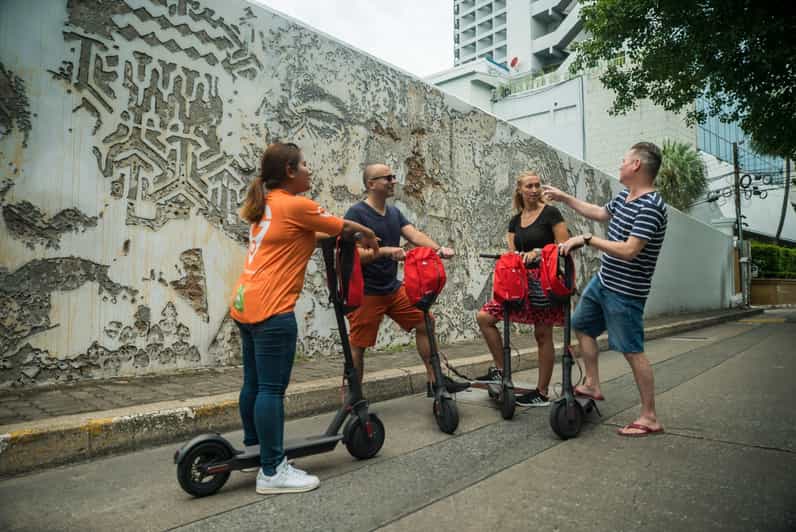
  • Ride around on extremely busy roads on e-scooters or monowheels and if a crack on the road or a gentle sideswipe sends you sprawling on the streets with broken teeth, go cry on Reddit.
A group of Farangs with e-Scooters in Bangkok
  • Show great enthusiasm for learning the local language and/or Muay Thai and judge others (who have actual jobs to do) if they can’t. The hypocrisy is that after the initial phase, most of them maintain the same 20 word vocabulary for years. Occasionally, pretend to enjoy Thai-dub movies.
  • Eat in street side stalls & judge others who prefer going to nice places. Then, when you eventually get diarrhoea, go beg on Reddit for free local medication recommendations because you can’t/won’t afford to go to a doctor. Also, drink shitty bottled beer in windowless joints.
  • Judge people for going to shopping malls, because shopping malls are huge symbols of corporate greed and hanging out on the side-streets is what authentic people do.
  • Get beaten up by prostitutes frequently. Bonus points if the prostitute is a ladyboy.
  • Educate others on how they should live their lives at any chance you get. But be considerate by prepending your sentence with “I am not showing a colonial mentality but….”
  • Live in cheap shitty hovels and hostels. Judge others if they do/want to live in nice places.
  • Bad mouth Indians all the time, but if you need help with work, feel free to ask them.
  • If married, dump your white wife and share (unknowingly) a Thai girlfriend with 10 other insufferable Farangs. When you find out, cry on reddit.
  • Hail taxis off the streets. Judge others for using ride-hailing apps. Then complain on Reddit when you get ripped off. For bonus points, pick a fight with the taxi driver and cry on reddit when your teeth get knocked out.
  • Use the cheapest phone possible (if possible, with a cracked screen and a battery pack permanently taped to the back) and judge others if they prefer nicer phones.
  • Judge people who don’t participate in adventure sports.
  • Bash Nestle whenever you see one of their brands anywhere. While not knowing why you’re bashing it, in the first place.
  • Get restless if you haven’t been in a swimming pool for more than 48 hours.

Bonus content

Bye Bye Jetpack? Not so fast!

For those who don’t know, Jetpack is Automattic’s WordPress plugin, which connects your blog to their cloud service and provides a number of features.

I have been using Jetpack for as long as I remember having this site on WordPress. And for most of the time, it has worked well.
However, recently, I noticed that when composing posts, the block editor would get stuck “saving” and not recover at all. Over many months, it led to hours of lost work. After troubleshooting thoroughly, I found that the problem only happened when Jetpack was enabled.

Jetpack broke post saves on this blog

After begging a few days on their support forums and not receiving any response, I decided to ditch it once and for all and look at other options.

I knew there’s no single plugin that can replace Jetpack in totality, but when I made a list of the Jetpack features I use and how many plugins it would take to replace it, I was shocked.

Below is a description of what I did.

Social Media Share Icons

I decided to start with the easy items and immediately found “Simple Social Icons” to replace Jetpack’s social share icons.

Share button integration with Jetpack
Simple Social Icons by Osompress

All good. Let’s continue.

Commenting System

WordPress’s default commenting system requires a person to create an account on your blog before they can comment. Obviously this is not practical for blogs like mine where no one would bother to do this. So I tried 2 options:

Disqus

I was already familiar with Disqus, because I used it on my blog long ago, but I seem to have forgotten that it shows advertisements. I have kept my blog proudly clean over decades, why would I let a plugin display ads? Hard pass.

Advertisements in Disqus’s comment system

More things against this plugin were the requirement to create & maintain a Disqus account and it maintaining your comments on its servers, rather than integrating with WordPress’s comments (At least by default).

wpDiscuz

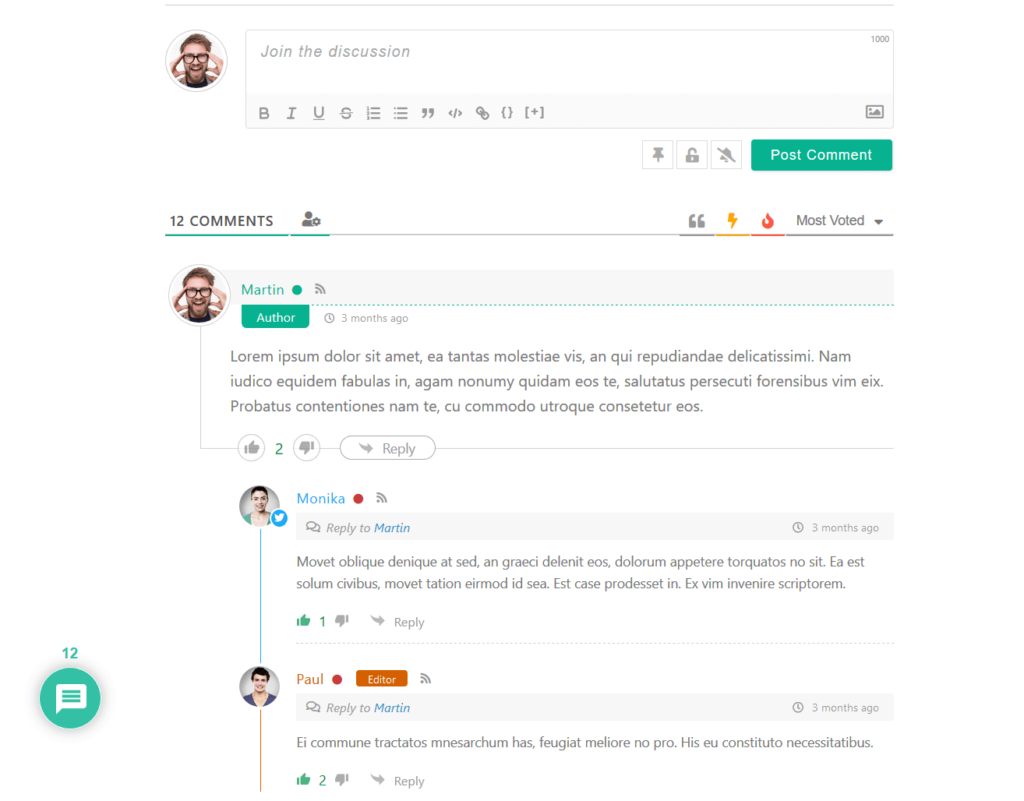
In-spite of the childish name spelling, this plugin was quite powerful, even with the free iteration.

wpDiscuz Comment Examples

This plugin actually out-performs Jetpack by allowing users to login with many different social media accounts (Jetpack allows only WordPress and Facebook accounts).

Related Content

Jetpack’s related posts carousel

I like showing related posts at the end of each post and YARPP (Yet Another Related Posts Plugin) did a good job. Not much to write about this.

Downtime Monitoring

For downtime monitoring, I chose Pingdom’s service. The service is quite powerful, generating detailed stats, certainly more so than Jetpack which only shows up/down alerts. However, I realised later that the free tier only supports monitoring for 30 days. Since I don’t earn any money from this website, I decided to forego this feature and stay in the blind.

Pingdom’s site monitoring tool

Fetch images directly from services

Jetpack’s image fetch tool

Jetpack has this nifty feature which allows you to insert royalty-free images directly from multiple image services (vs finding an image, verifying the license, saving it, then uploading it). I mostly use it for the cover image of each post.

To replace this, I found Instant Images, which allows fetching images from even more platforms.

Infinite Scroll & Lazy Load

For this, I chose WordPress Infinite Scroll – Ajax Load More, which does a good job.

Site Statistics

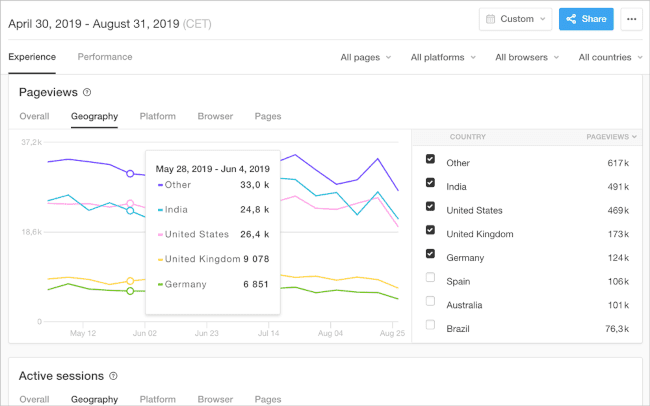
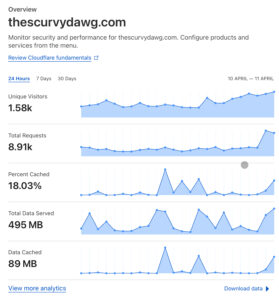
Cloudflare statistics example for this blog

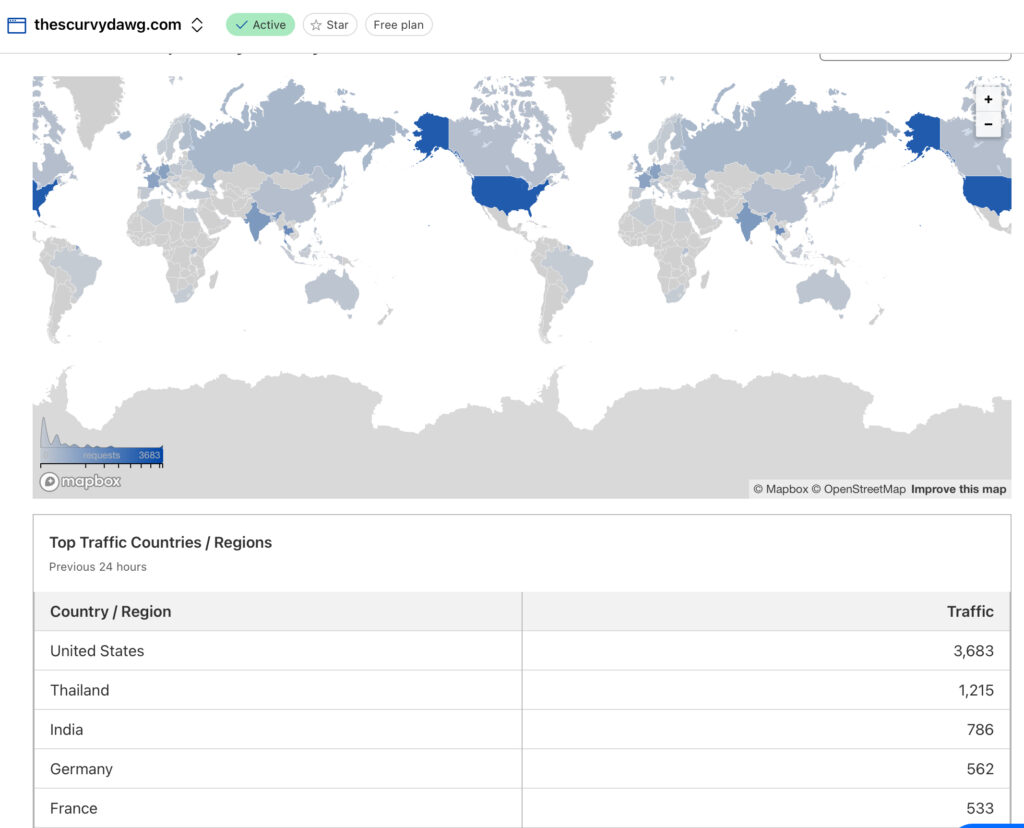
WordPress shows you graphs of how many people visited your blog and from where. This data is widely disputed to be flawed. Since I was already using Cloudflare, I chose Cloudflare’s stats for this.

However, I didn’t find a way to view these statistics in a formatting suitable for mobile displays.

Cloudflare statistics: Requests by country

Email Subscription & Sign Up Form

I saved the most complicated for the last and eventually this was the item which eventually caused me to give up.

Basically, I wanted people to be able to sign up to my blog newsletters via a sign-up form on the blog page and then receive notification emails when there’s a new post. Simple, right? Not so

MailChimp & MC4WP
MailChimp
MailChimp

MailChimp is the world’s leading email marketing platform. You can use it for free if you have less than 2000 subscribers, which is not a problem for me.

Signing up for an account and starting a campaign requires a lot of verification (To prevent spam, they say), but I was done in an hour, including importing my existing subscribers via a .csv file.

MC4WP
MC4WP

To make a subscription form on my website for people to type their email addresses in, I used MC4WP, which is a nifty tool which can update the subscriber’s list on your MailChimp account.

The free account was suitable for my needs.

However, I got stuck on the next part, which was to automatically send a notification email to my subscribers when there’s a new post. There doesn’t seem to be a native way to do this. The method recommended by MailChimp is to set up a “classic” automation which would read from an RSS feed of my blog and trigger the email sending. However, this feature was paid and I didn’t want to pay to send emails to 30 subscribers. On to the next option, then.

Icegram Express
Icegram Express
Icegram Express

The big advantage of Icegram Express was that it all runs natively within your WordPress installation, without a need for an account with them.

It took me 20 minutes to configure everything and setup the automations. However, when I tried testing the email digest (I tried both WPMail and PHPmail), it would only send emails half the time. The other half, it would say it sent the email, but the recipient would never receive it.

I tried my best, but I couldn’t find another alternative.

Eventually, I took stock of where I was. I had replaced Jetpack with 5 different plugins, created accounts with 3 new services and still I was nowhere near the functionality Jetpack provided.

I made the hard decision to give up and go back to Jetpack, with a new found appreciation for how useful this plugin actually is & how much it does for free.

If I edit my posts in Firefox, I don’t run across the “saving” problem anymore, however, I have raised a feedback with Apple to hopefully get it fixed.

The iPad Pro is such a neutered device

I have had a long & complicated history with various devices in the iPad lineup over the years. Don’t get me wrong, the iPad is a fantastic device for what its made for. Is just not made for some of the things I want to do; which is making it work like a real computer.

What it is good at

After using iPads (Mostly Pro versions) over many years, I have realised that the iPad is good at:

  1. Media consumption – Great for watching movies, TV shows on the go, browsing through photos. The mini-LED Display is great with high contrasts and peak brightness.
  2. Reading magazines and newspapers.
  3. Sketching stuff & taking hand-written notes.
  4. Looking at websites.
  5. Photo and Video editi…

I love the sexy slab design and the folio cover. But spending this amount of money just for the above items doesn’t make sense (at least, to me).

What it is bad at

Again, not blaming Apple. The iPad can do exactly what Apple claims it can do. The fault is squarely on me for expecting the iPad Pro to act and behave like a real computer.

Why did I even have these expectations? Because I assumed that surely a device this expensive would be able to do some of the things that a computer can do. Why else would you put an M4 processor or 16GB RAM in a tablet? Also, after Apple bought Stage Manager to the iPad, I hoped they would bring more features. Obviously, I hoped wrong.

Over the last year, my frustrations kept mounting till I felt compelled to write this post.

Virtual Machines

You can read about my tryst with UTM SE here. The powerful CPU/GPU are so severely crippled by iPadOS that a 27 year old OS runs slower on it, than it used to, back then.

Again, this is not what the iPad is built for, so my fault for expecting this.

Mouse/Keyboard

The iPadOS technically does support mice, but the experience is severely crippled (stupid round shaped pointer, jumping from element to element, no pointer acceleration).

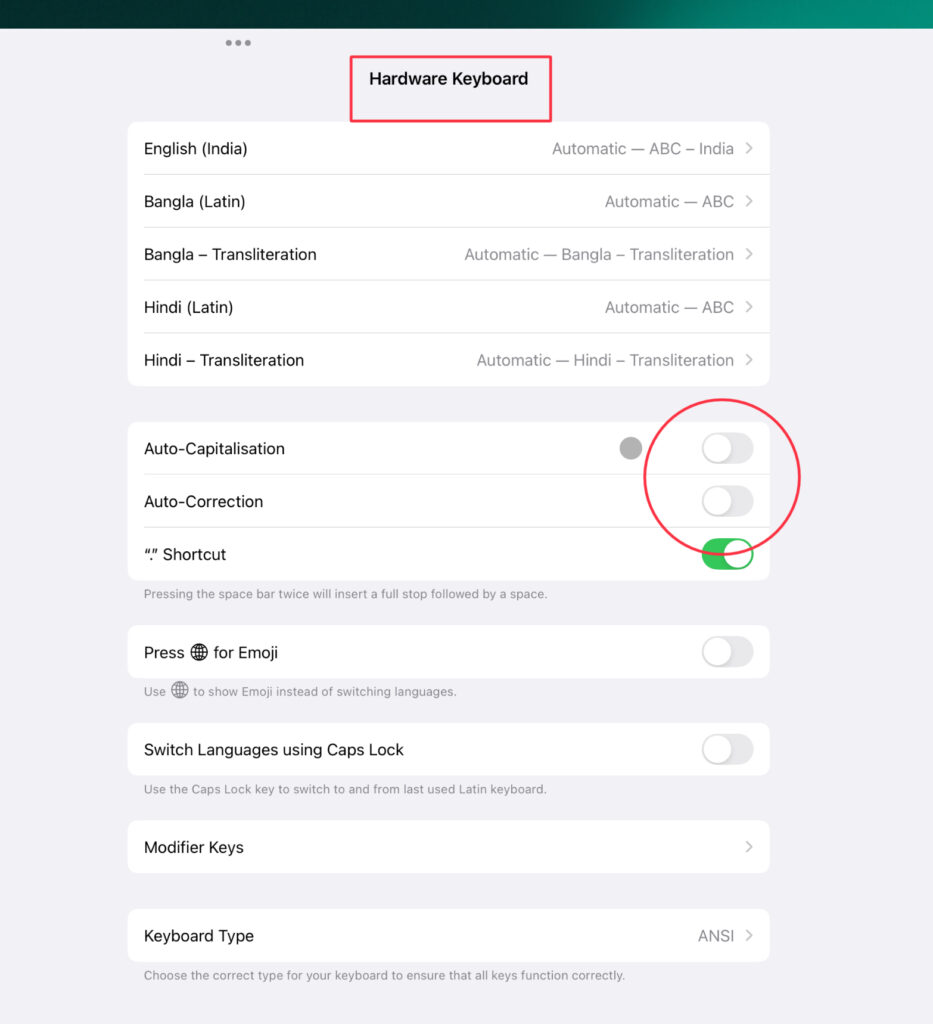
My frustrations with the external keyboard experience on the iPad is unrivalled. It would keep capitalising the first alphabet of each new sentence, even for things like URLs etc. You can disable this globally, but then it also gets disabled for the on-screen keyboard.

Correction – I found a way to disable this, just for the hardware keyboard.

Disable Auto Correct for Hardware Keyboard on iPad

Web Browsing

Every time I try to scroll up to the top of my WordPress post compose page too fast, it refreshes the whole page and I lose gobs of data. Strangely, this problem didn’t exist on the Magic Mouse 2.

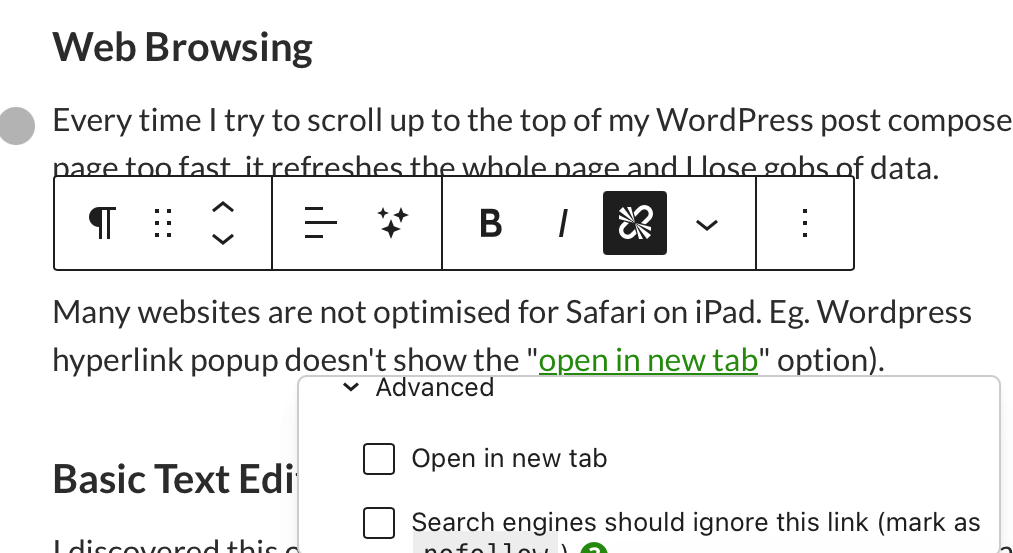
Many websites are not optimised for Safari on iPad. Eg. WordPress hyperlink popup doesn’t show the save option (Is hidden below the window).

Wordpress hyperlink popup on Safari, iPad
WordPress hyperlink popup on Safari, iPad

Wordress also frequently gets stuck on saving a post with the page unresponsive and the button greyed out.

Wordpress stuck autosaving, Safari iPadOS
WordPress stuck autosaving, Safari iPadOS

Basic Text Editing

I discovered this one when recently trying to make a small change to an HTML file. To open an html file from files, you need a 3rd party option and there are no good free ones. They either all require you to pay or have loads of intrusive ads.

Don’t blame developers for this, they have to go via Apple’s App Store and hence pay fees to Apple, why should they release apps, even basic for free?

Eventually I settled on the excellent Runestone Text Editor.

GitHub

I know, I know, the iPad is not meant for application development. But all I wanted to do was upload my website landing page, some 200 files in different folders.

I was horrified when I found out that there’s no support for uploading multiple files and folders to GitHub from the files app. GitHub’s iPad app is just a glorified mobile app, not the Desktop equivalent.

Working Copy to the rescue, which is paid, but very powerful.

Proper File Management

Recently I transferred 400GB of data from mega to my NAS. Although the Files app does have basic file management, I couldn’t find a way to get all 400GB to my iPad to further transfer to the NAS.

Mega (Like most other file sharing apps) does support the connector in the files app, but the experience is buggy at best and times out after a few GBs and needs to be started from scratch.

Eventually, I had to use my daughter’s notebook to get it done. She laughed at me.

Proper Photos management

The only reason I got the 512GB variant of the iPad was because I wanted to store all my photos offline and in case Apple terminated my account for some reason, I would be able to export everything out. However, the only way to export all the photos from the Photos app is to start selecting photos and hold your finger at the bottom of the app for more than an hour for it to select all the photos.

The fun part? Even when you manage to do that, export fails and it knocks you out of the selection mode to start again from scratch.

What, then?

Switch to a Macbook? Even that doesn’t tick all the boxes.

TaskiPad ProMacBook
Reading Books/MagazinesExcellentPoor
Watching VideosExcellentAverage
Virtual MachinesPoorExcellent
Mouse/KeyboardPoorExcellent
Web BrowsingAverageExcellent
Text EditingAverageExcellent
File ManagementAverageExcellent
Photo ManagementAverageExcellent
DisplayExcellentAverage

I really don’t want to also buy a Macbook to complement or replace the $2000 iPad Pro.

My opinion is that if not for the Pro Motion (120Hz) Display, the iPad Air is perfectly sufficient for most purposes and there’s very little market for the Pro model.

I can just hope that iPadOS matures enough to do some basic computing tasks in the future and makes use of the powerful hardware.

Third Molar Extraction

During my adolescent years, the third molars in my lower jaw came out crooked. Because of food getting stuck in the space between the second molar and the third, I used to suffer regular bouts of Pericoronitis which was annoying. After years of annoyance and advice from dentists to take them out, I finally decided to do so, late last year.

I had actually considered doing it a few times before, but always chickened out. This time, I decided to go ahead with it. I did this at my regular Dental clinic, Smile Seasons.

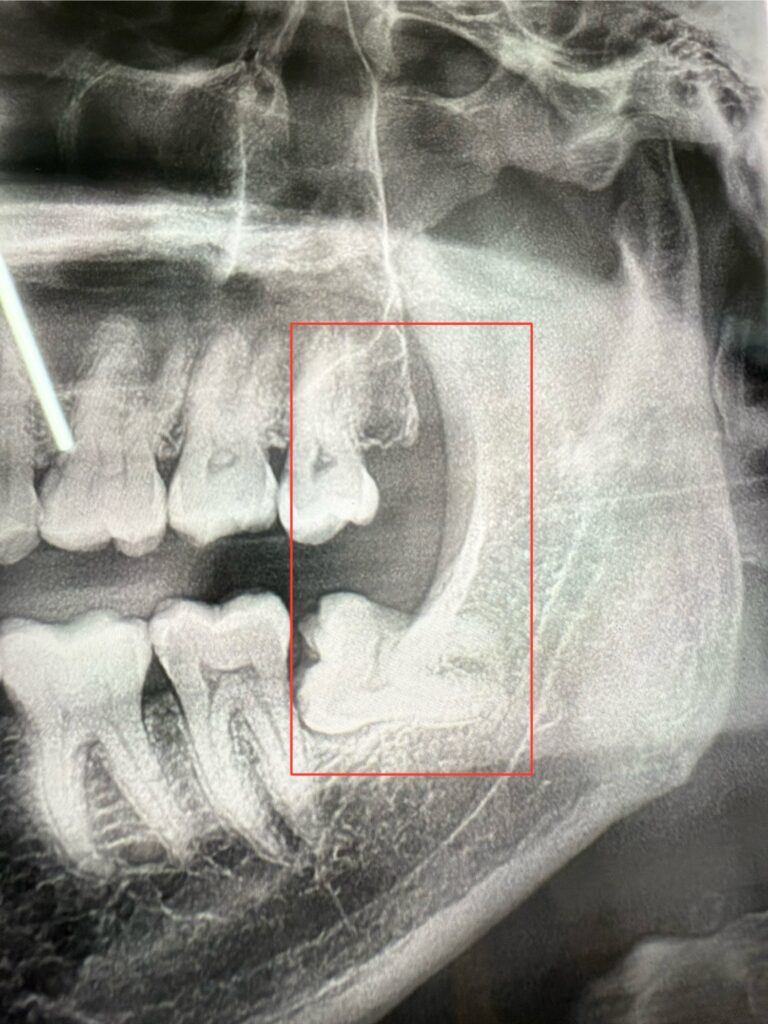
Impacted Third Molar of the Lower Jaw

The Process

The first step is to X-Ray the mouth. After that, they were able to tell me that the upper molar can come out via regular extraction, but the lower one would require surgical extraction. I decided to get the left side done first.

After copious amounts of anaesthetic, they wiggled out the upper molar in five minutes. It was a bit scary but painless; I thought my jaw would snap from the pressure. The feeling of the tooth cracking away from the jaw was horrible.

The lower third molar didn’t go so easy. They had to break it apart and it came out in pieces. The root was quite sensitive and they had to keep giving me anaesthesia. It took a long time for it to come all out, while my lips were being stretched like a rubber band. I was relieved when she said it’s done and started applying the stitches. I was already stressed about repeating this for the right side in a few months.

The Aftermath

Recovery Phase 1- First 24 hours

I left the dental clinic with a bunch of painkillers and antibiotics and the left half of my mouth drooling. I was foolish enough to think I won’t need the painkillers, and I was in for a rude shock soon. Once the anaesthesia wore off, there were so many pains, I had to count

  1. Stabbing pain in the empty sockets – 8/10
  2. Burning pain in the gums of adjacent teeth – 8/10
  3. On and off cramps in the jaw muscles (Couldn’t open the mouth properly) – 6/10
  4. Pain in the neck – 6/10
  5. Dull pain and swelling in the lips – 5/10
  6. Dull pain in the front teeth – 4/10

Ibuprofen : 3
Paracetamol : 1
Diet : None

Thankfully, after taking the painkillers, most of the pain turned dull. Remembering the doctor’s instructions, I was careful not to spit the continuous bleeding out, but rather swallow it (And also because I am not from Uttar Pradesh). Tried having an ice cream, but couldn’t finish it.

By evening, I was tired of the ever-present taste of blood in my mouth and could not wait to go to sleep. I didn’t brush my teeth.

Sleep was not very peaceful. Kept waking up and had bad dreams.

Woke up next morning with my mouth feeling like a morgue, full of congealed blood. I also realised that my lymph nodes were swollen (Looked like a ping pong ball protruding from my neck) and I couldn’t swallow without pain. Also, the trauma activated a painful cold sore on my lip.

Recovery Phase 2- Days 2 to 7

ItemDay 2Day 3Day 4Day 5Day 6Day 7
Neck/Throat Pain5/102/101/101/10
Tooth pain5/104/103/102/102/101/10
Lip Pain5/103/101/101/10
Jaw Movement10%10%15%20%25%40%
Ibuprofen22211
Paracetamol11
DietLiquidSemi SolidSemi SolidSolidSolidSolid

Overall, there was quit a lot of improvement in the first couple of days, after which it kind of plateaued out.

On Day 2, in the afternoon, I developed a low grade fever which went away with Paracetamol. Swallowing was painful but the tooth was more or less OK. I started brushing my teeth on the other side.

On Day 3, woke up feeling a bit better. Lymph nodes were less painful, although still had swelling. Had more or less a normal day, except for the diet.

On Day 4, Tried eating normally, but the jaw just won’t open. The food kept falling off the spoon. Went out for lunch, but got discouraged and ate in for dinner.

On Days 5-6, I started exercising my jaw, pushing it gently to open more. By evening of Day 6, I was quite demotivated by the lack of improvement

Day 7, was the first day in a week when I woke up feeling anything close to normal. My spirits immediately lifted.

Recovery Phase 3- Week 2 onwards

On Day 8, I started running again and went to the dentist to get the stitches taken out. I was relieved to hear that I don’t have a dry socket. After the stitches went, I felt a release of pressure from my gums and over the next few hours, the remaining pain went away.

Over the next few days, the jaw became more and more loose, and I went back to regular food.

By the end of week 2, everything was 95% back to normal.

By the end of week 3, everything was 99% back to normal and I considered my recovery more or less complete.

Repeat, Right side

Last month, I repeated the procedure on the teeth on the right side. Luckily, it went much better than the left

  1. There was very little neck/throat/jaw pain
  2. The pain in the teeth/gums was much less

Unfortunately, I had to get the twitches taken out in India and the dentist was brutal; tugged on the stitches and gums till I had tears in my eyes.

Tip : During recovery, stay away from things that can make you sneeze. Restarts bleeding and increases the pain a lot.

For anyone considering this procedure, don’t watch the video below, or you may end up changing your mind (Like I did last year).